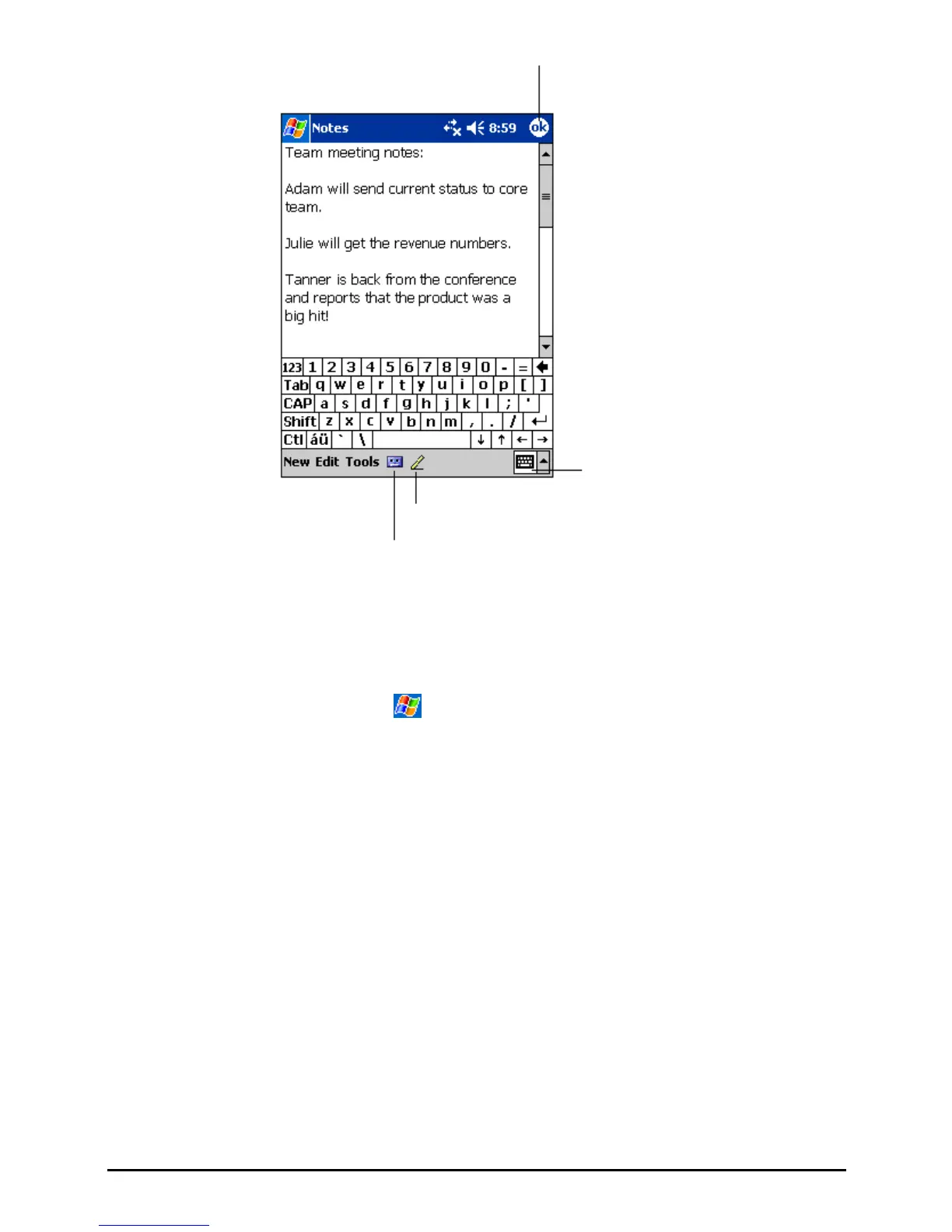
Tap to return to the note list (the
note is saved automatically)
Tap to write on the screen.
Tap to show or hide the input panel.
Tap to add a recording to the note.
3. You can also do the followings with regard to this note:
Beam the note.
Send the note via e-mail.
Create a template
For more information, tap
Help.
4. Tap
OK to return to the note list.
51


 To Next Page