4. Getting started
MiR Precision Docking Operating guide (en) 2019/11 - v.1.2 ©Copyright 2019: Mobile Industrial Robots A/S. 11
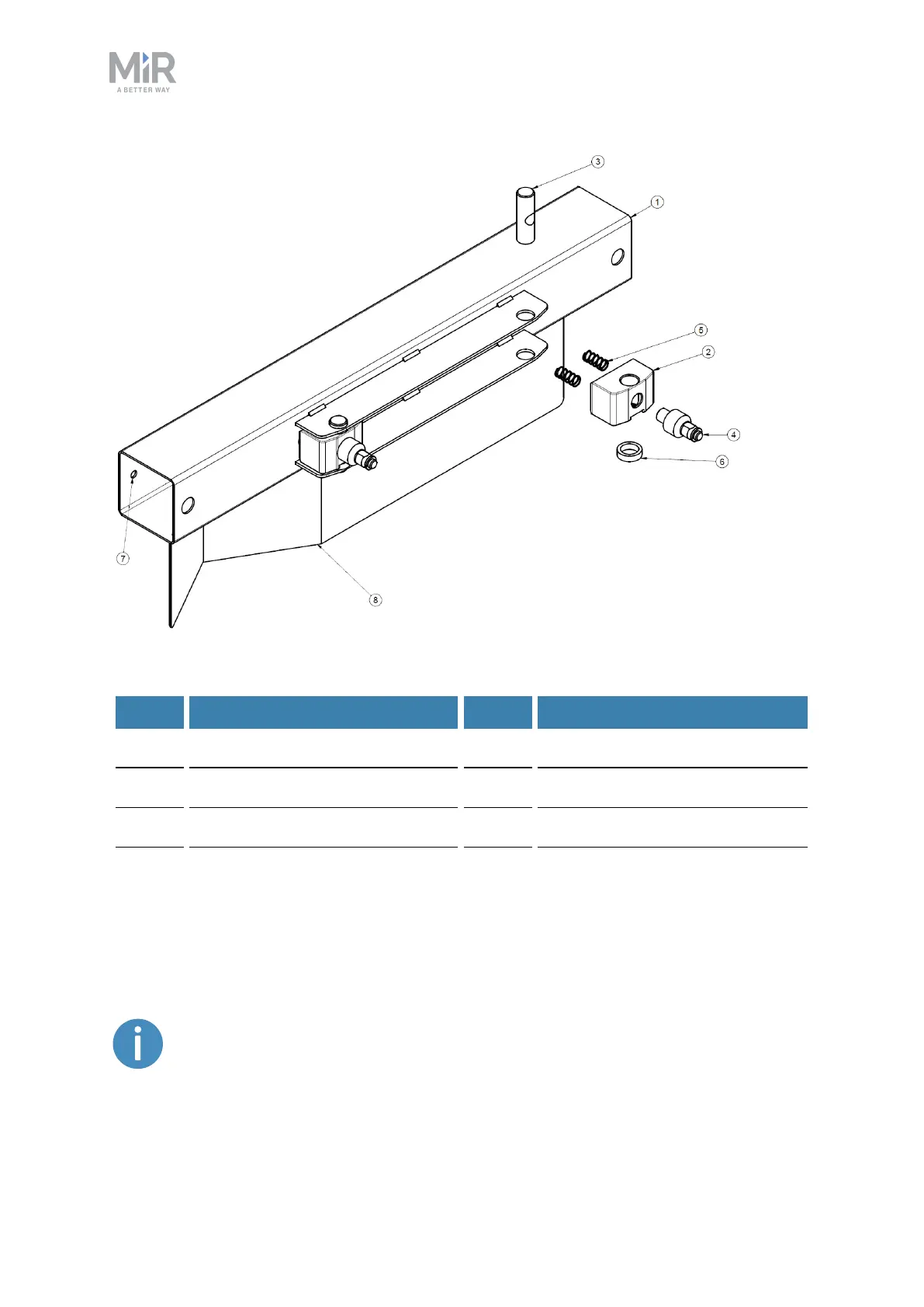
Figure 4.1. Mountable docking station with precision pins.
Label Description Label Description
1 Mounting bar 2 Precision pin block
3 Block axle 4 Precision pin
5 Coil springs 6 Wave springs
7 Mounting hole 8 VL-marker
When mounting the MiR Precision Docking station, it is important that the station is
mounted at the correct height from the floor, so the precision pins align correctly with the
robot part. Figure 4.2 describes the distances between the three mounting holes.
For the MiR robot to dock correctly, the surface the station is mounted to must
be plane and perpendicular to the floor surface the robot drives on.


 To Next Page