5. Usage
MiR Precision Docking Operating guide (en) 2019/11 - v.1.2 ©Copyright 2019: Mobile Industrial Robots A/S. 13
5. Usage
Before being able to use MiR Precision Docking, you must enable the feature on the robot
with the mounted precision holes. In the map editor, it is then possible to create precision
docking markers that can be used in missions. This section describes how to enable MiR
Precision Docking and then use it in missions.
5.1 Enable MiR Precision Docking
The following steps describe how to enable the use of MiR Precision Docking in the Robot
interface.
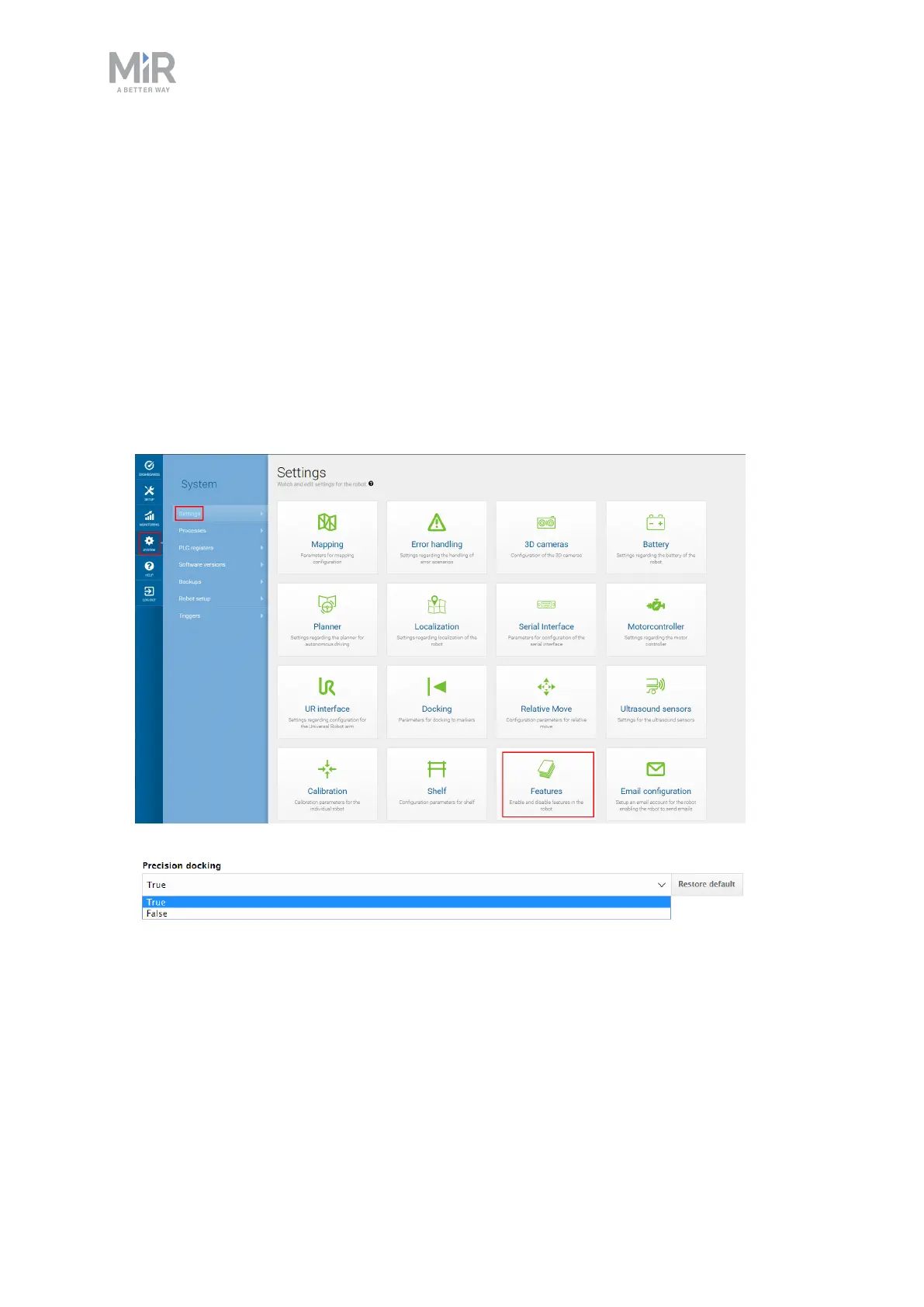
1. Go to System > Settings > Features.
2. Under Precision docking select True in the drop down menu.
You have now enabled MiR Precision Docking and can create precision docking markers.
5.2 Creating a precision docking marker on the map
This section explains how to create a precision docking marker on a map.


 To Next Page