5. Usage
MiR Precision Docking Operating guide (en) 2019/11 - v.1.2 ©Copyright 2019: Mobile Industrial Robots A/S. 16
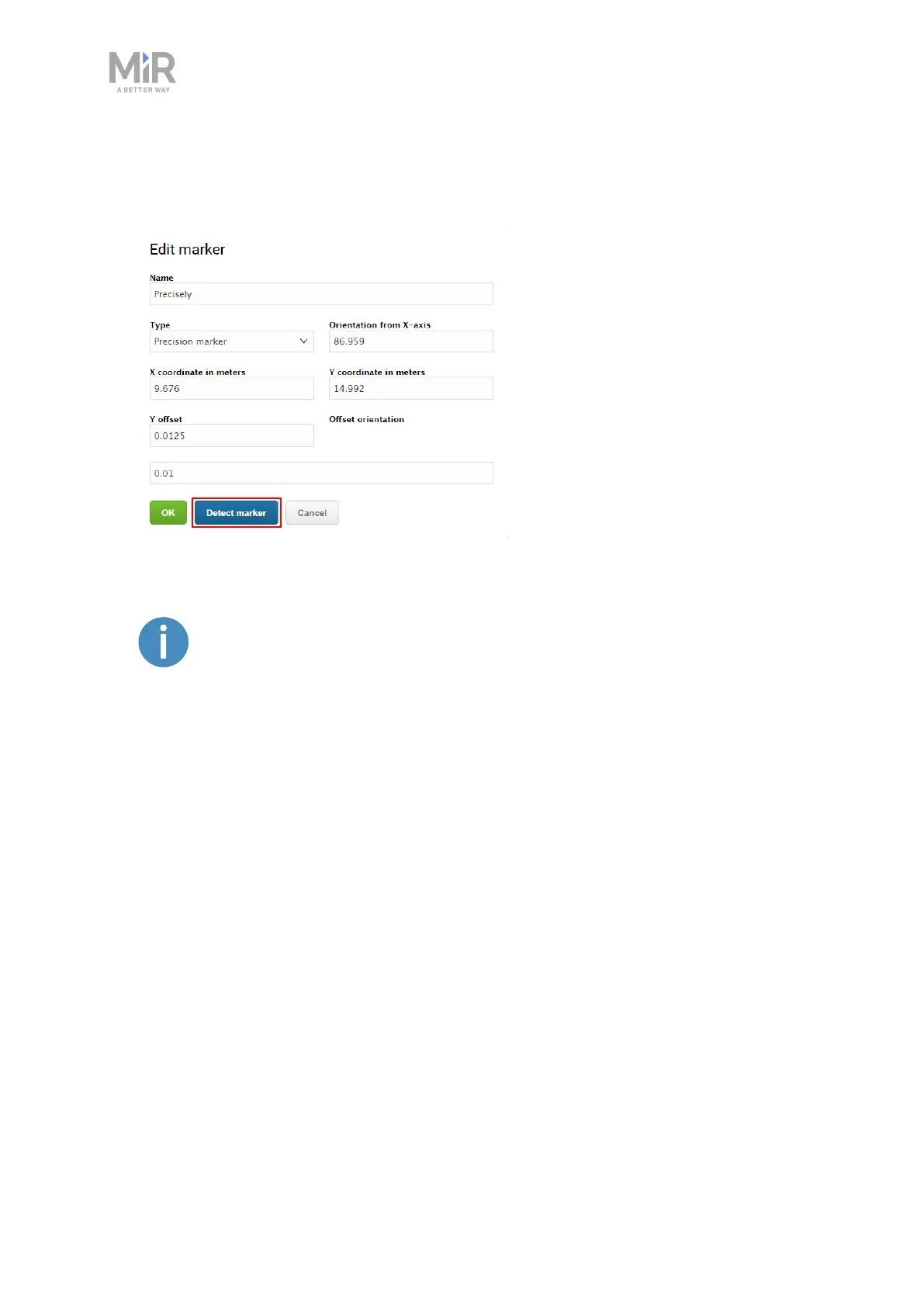
5. Select Detect marker. The Detect marker function tracks the position of the station using
the VL-marker and automatically sets the X, Y and orientation values in the Edit marker
dialog box, enabling it to dock to the station.
If the robot is too far from the station, a message that the robot failed to
locate the marker is displayed. Try to move the robot closer to the station,
and ensure that the front safety laser scanner is positioned in front of the
VL-marker of the station.


 To Next Page