5. Usage
MiR Precision Docking Operating guide (en) 2019/11 - v.1.2 ©Copyright 2019: Mobile Industrial Robots A/S. 19
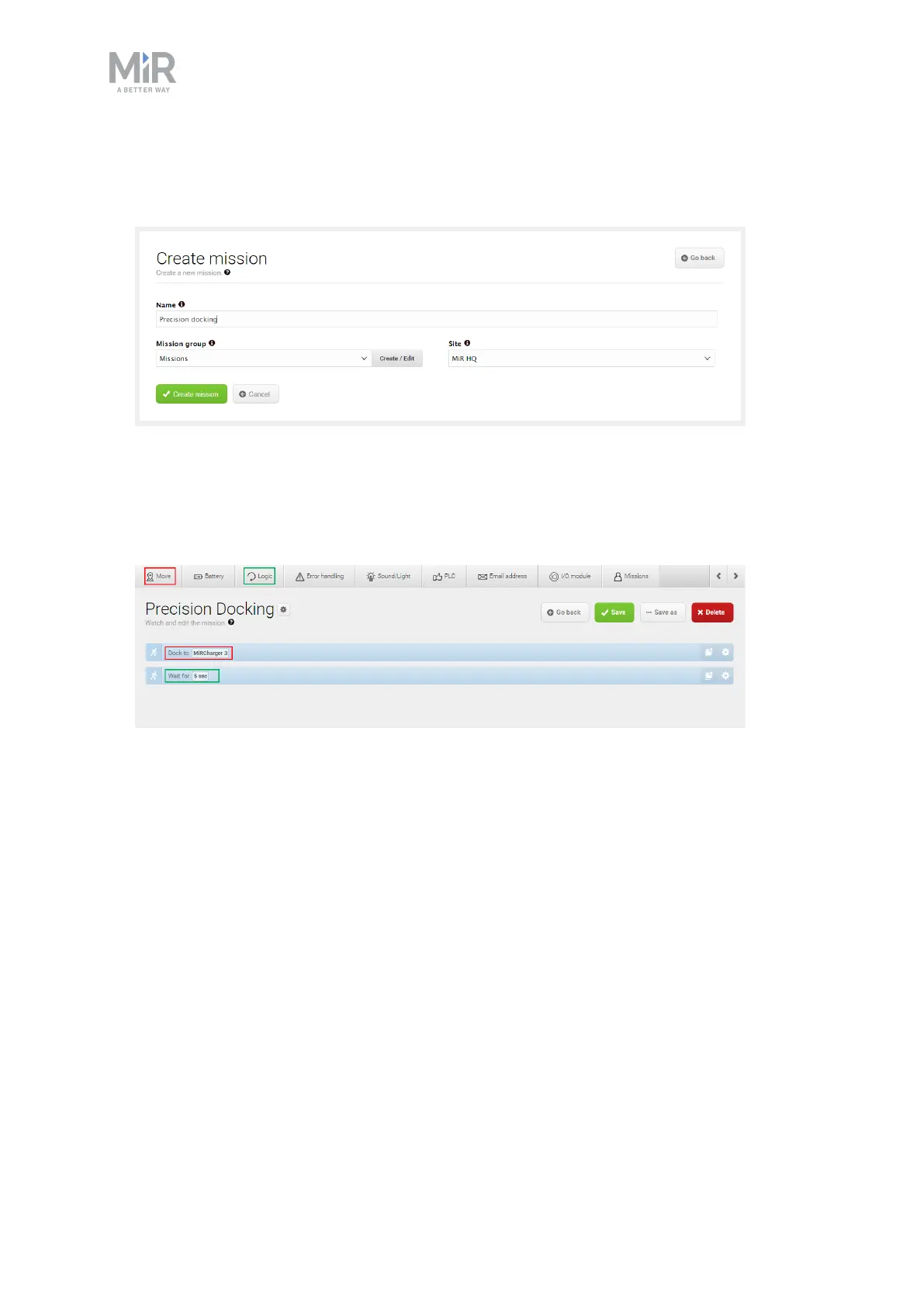
1. In the robot interface, create a new mission. This is done by going to Setup > Missions
and selecting Create mission. Name the mission, select the correct site, and select
Create mission.
2. Within the Create mission window, insert the following actions:
a. In the Move menu, select Docking
b. In the Logic menu, select Wait
The mission should look like this:
The next steps describe how to set the parameters of the chosen mission actions. To set
the parameters of each action, open the action dialog box by selecting the gearwheel
icon of the action in question.


 To Next Page