5. Usage
MiR Precision Docking Operating guide (en) 2019/11 - v.1.2 ©Copyright 2019: Mobile Industrial Robots A/S. 20
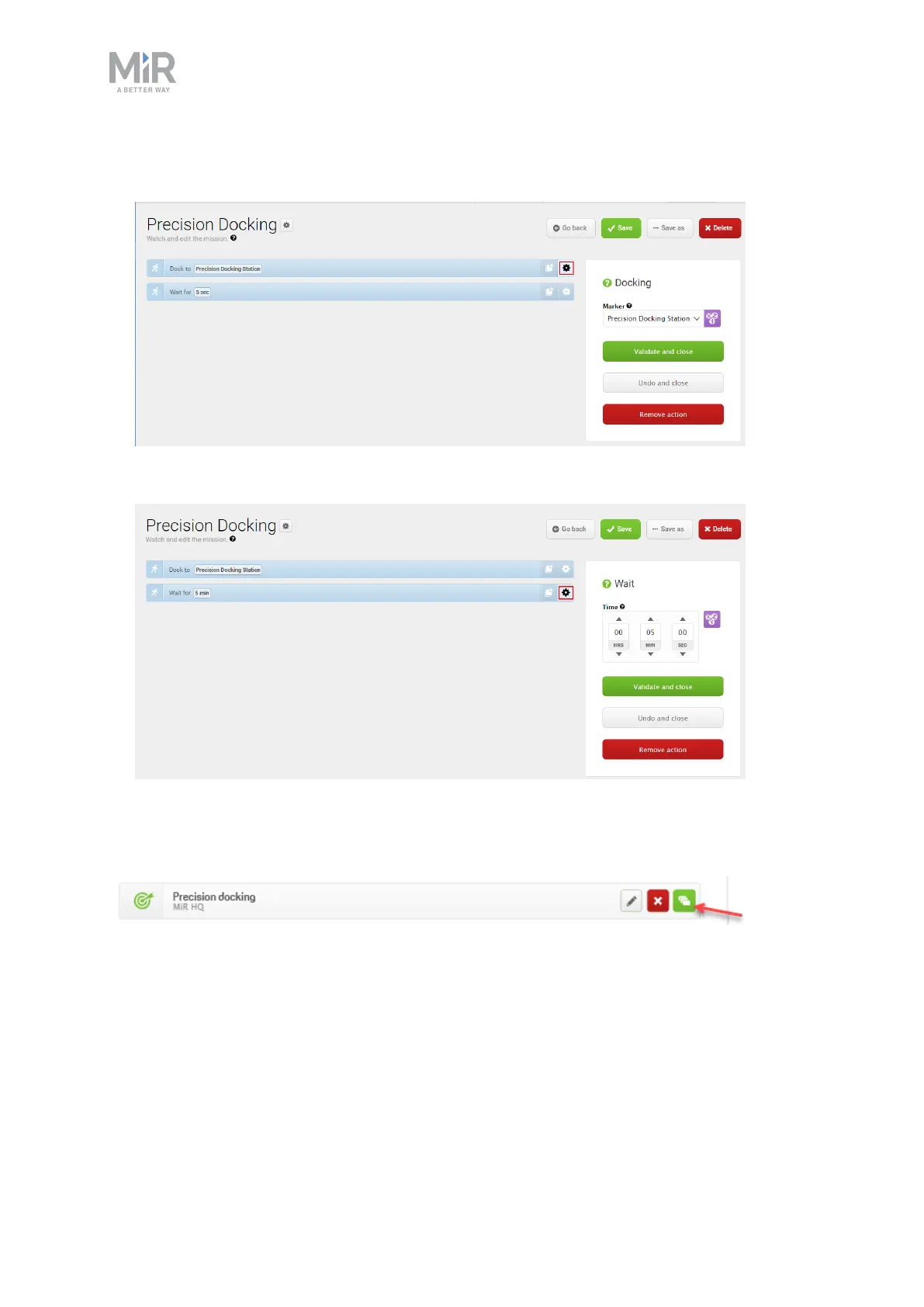
3. In the Dock to action dialog box, select the precision docking marker in front of the
docking station that you created on the map. Select Validate and close.
4. In the Wait action dialog box, set the length of time you want the robot to be docked at
the station. In this example, the wait time is set to five minutes.
5. The mission is complete. Select Save to save the mission.
The mission is now visible in the missions list and ready to add to the missions queue.
In this mission example, the robot is set to wait a specified time at the docking station. It is
also possible to use other actions, such as user prompts or output from I/O modules to
determine when the robot must undock.


 To Next Page