18
Using your Shower
Read the section “Important Safety Information” rst.
Note! At the end of every shower make sure that the shower head points into the
catchment area. A small amount of water may be retained in the shower handset
after the shower has been turned off. This may drain over a few minutes.
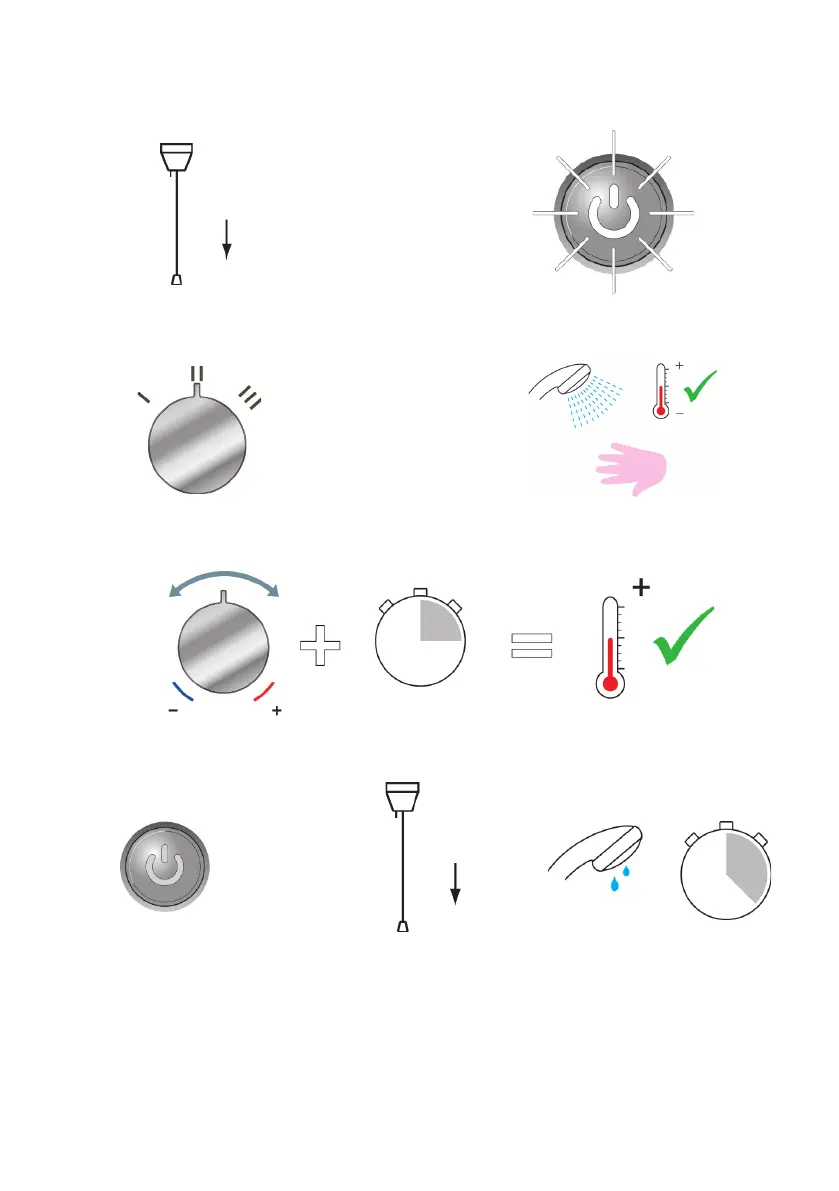
Press the ‘Start/Stop’ button.
2.
Switch on electrical supply.
1.
Set to desired position.
3.
Residual water may drain
over a few minutes.
8.
4.
Check water temperature before
entering shower.
5.
Allow 10 - 15 seconds for any temperature adjustments to reach the handset.
6.
P r e ss STOP bu tt o n .
Shower will continue to run
for a few seconds before
stopping.
7.
Isolate power.



 To Next Page