22
Mechanical and Chassis Installation
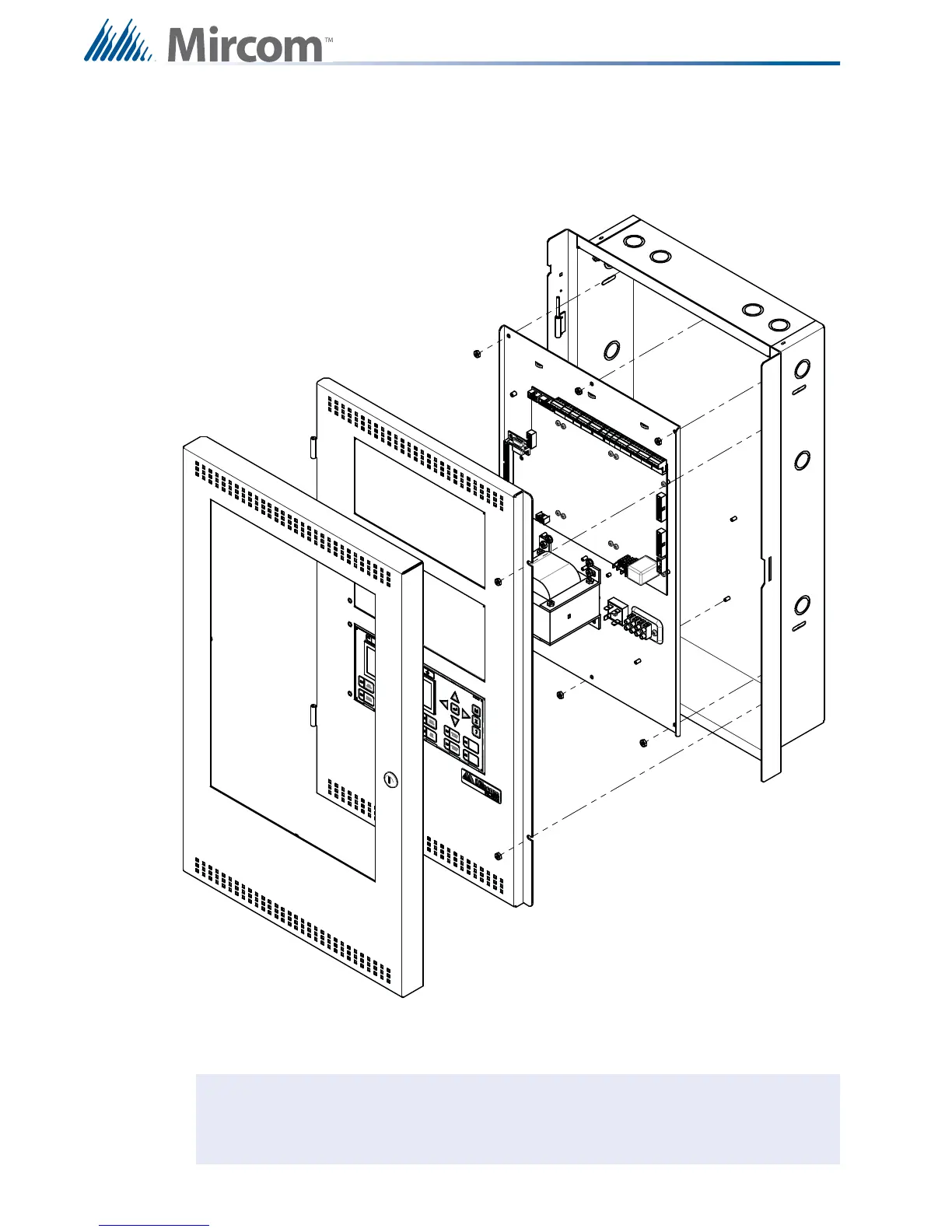
4.2.3 Mounting the Chassis into the UB-1024DS and DOX-1024DS/R Enclosure
The chassis is mounted using the six #8 hex nuts provided. Three across the top and three
across the bottom of the chassis. The inner door mounts over the chassis with two #8 hex
nuts.
Figure 10
Chassis Installation into Universal Enclosure UB-1024DS and DOX-1024DS/R
Note: Leave bottom of box conduit free for batteries.



 To Next Page