6 7
Getting Started
1. Make sure tool is turned o and unplugged. Select a suitable abrasive disc and attach it to the tool,
ensuring that the disc is centered on the backing pad.
2. Connect the cord from the tool to the DC power transformer. Cord will click when locked in place.
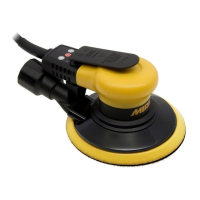
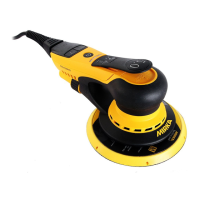
Refer to Figure 1-2. Ensure power switch is in the o position.
3. Connect the AC power cord to the DC transformer socket, and plug into grounded wall outlet.
4. Switch on the DC transformer with the On/O switch Figure 2. The power supply LED will cycle
from red to green, indicating that power is available to the tool.
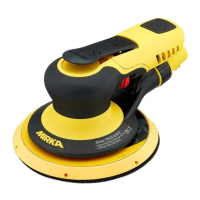
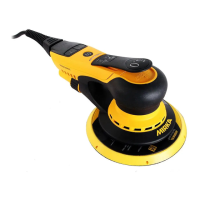
5. Keep hands free of throttle lever. Switch on the sander by pressing the Power Button shown in
Figure 1. The sander LED will turn green, indicating the tool is ready for use.
6. The sander can now be started by pressing the throttle lever.
7. The maximum speed can be adjusted between 4,000 and 10,000 RPM by pressing the RPM+ or RPM-
buttons shown in Figure 1. Each press adds or removes 1,000 RPM until it reaches the limits.
8. The throttle lever can operate in two modes. To change lever modes, press and hold the + and -
buttons for several seconds. In mode 1, it acts as an on/o switch. When the lever is depressed, the
tool will operate at the maximum adjusted speed. In mode 2, the throttle lever acts as a variable
speed switch. As the lever is depressed, the tool will operate between 4,000 rpm and the maxi-
mum adjusted speed.
9. The tool speed can also be adjusted when running. Press the + button to increase speed in 1,000
rpm increments up to 10,000 rpm.
10. For vaccum operation, a 1-1/4” vacuum hose can be threaded into the tool tting.
11. When sanding always place the tool on the work surface then start the tool. Always remove the
tool from the work surface before stopping. This will prevent gouging of the work surface due to
excess speed of the abrasive.
12. When done sanding, or before changing discs, turn o the tool by pressing the power button on
the handle. Switch o the DC transformer, and remove the AC power cord. The power supply LED
will slowly fade. Finally, unplug the power cord between the tool and the DC transformer. ALWAYS
TURN OFF TOOL BEFORE CHANGING ABRASIVE DISCS.


 To Next Page