3.3 Recipe editor
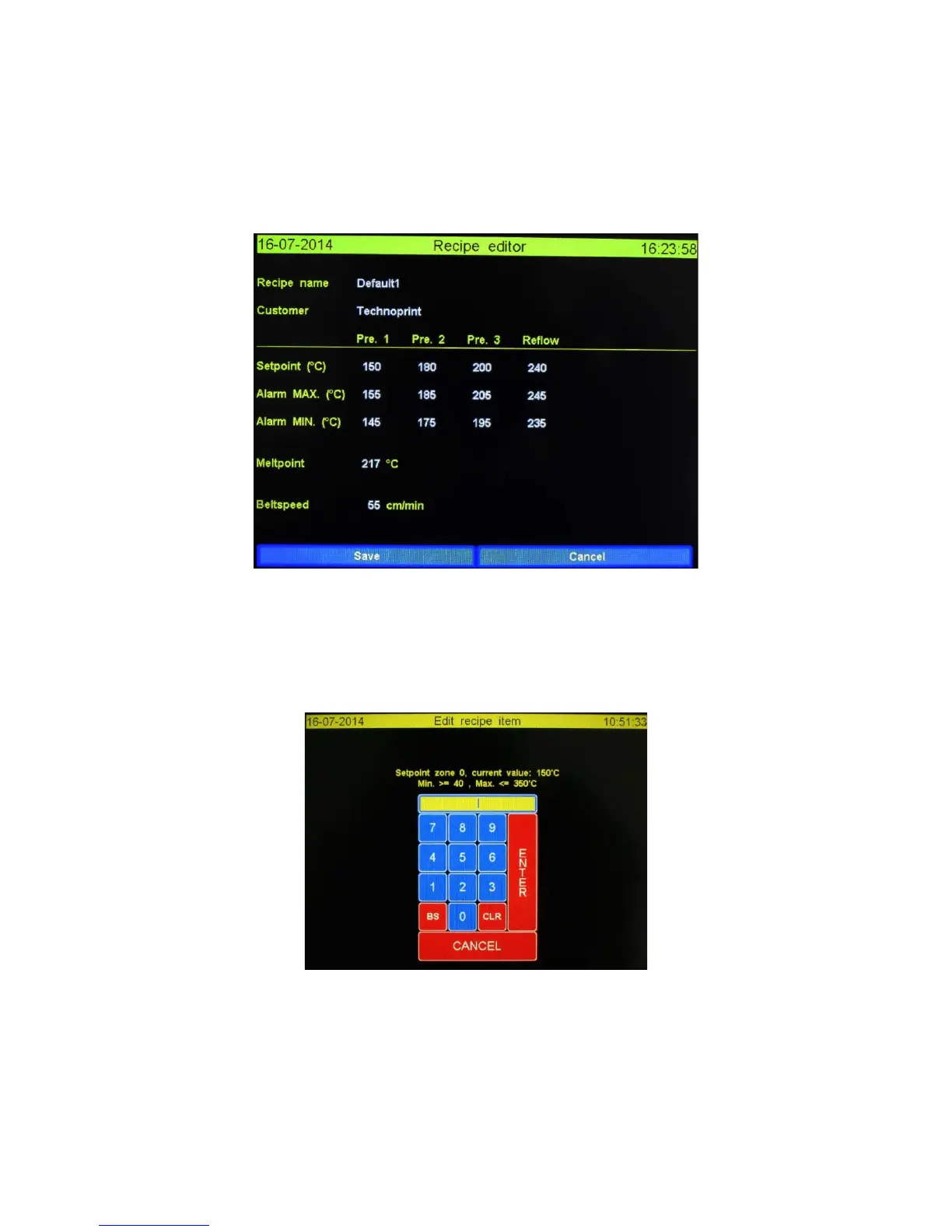
When a value is pressed in the main screen the “Recipe editor” will be displayed. Using the “Recipe
editor” the user can change any of these values to its desired value. If password protection has been
enabled only administrators can change the values of in the “Recipe editor”.
The “Recipe editor” screen is shown below.
3.3.1 Editing a recipe value
Ticking the value that needs changing. Depending on the value a (alpha) numeric keyboard, named
“Edit recipe item”, will be displayed. This keyboard screen will display the current, max and min
values of the pressed field. Pressing Enter or Cancel will bring the user back to the “Recipe editor”.
The numeric keyboard “Edit recipe item” is shown below.
3.3.2 Functions explained.
Save: Any changes will be saved and the screen will display the main screen.
Cancel: The new values will NOT be saved and the screen will display he main screen.


 To Next Page