3.6 Machine settings and info.
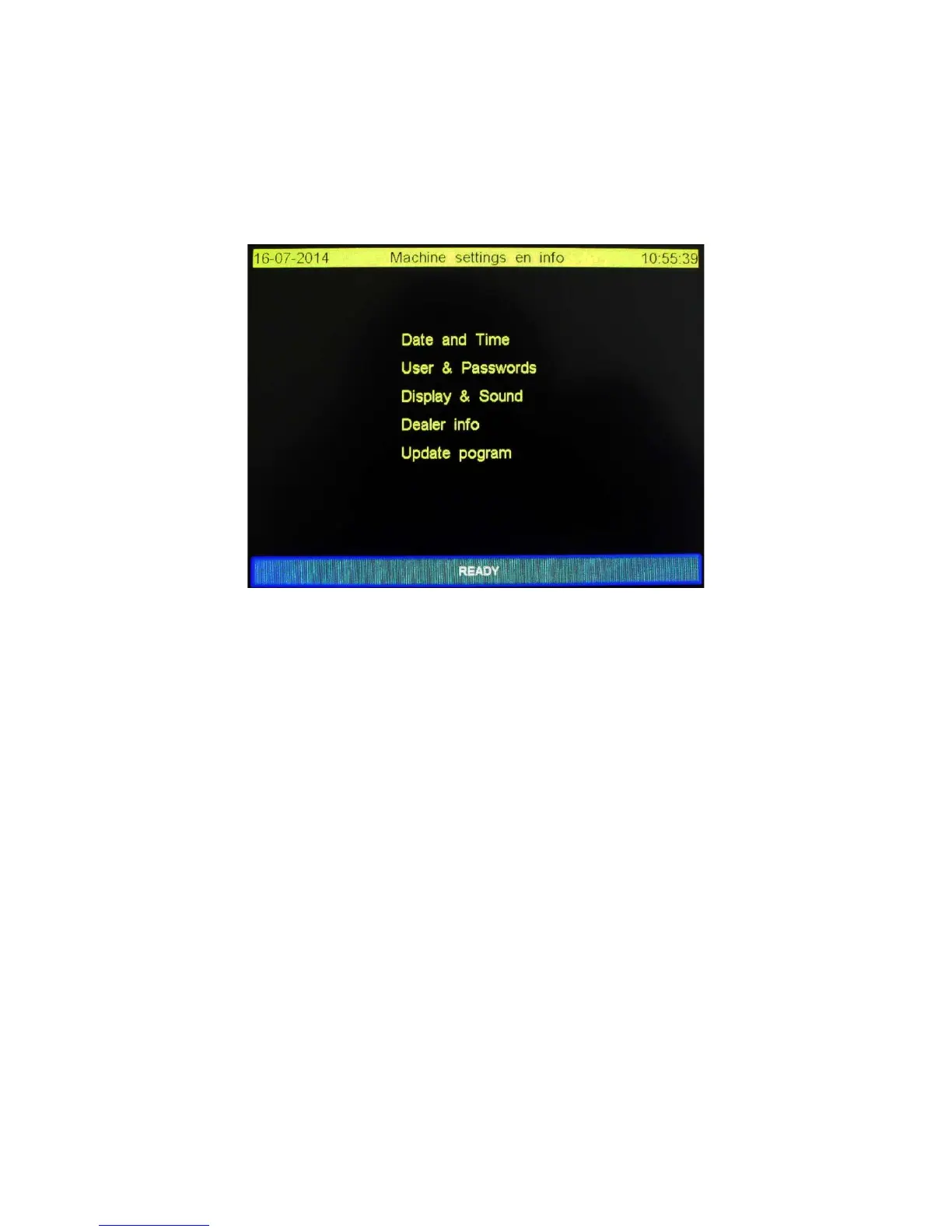
Ticking the function “Settings” in the main screen will open the “Machine settings and info” screen.
This screen contains 5 menu options we will describe here.
The “Machine settings and info” is shown below.
3.6.1 Functions explained
With the “READY” function the screen is closed and the main screen is showing up.
Date en Time: User can change date and time values. See also “Setting Date and Time”.
User & Password: Change, insert or delete operators. See also “Setting User & Passwords”.
Display en Sound: Setting display background lightning, use of sound and the use of passwords. See
also “Setting Display & Sound”
Dealer info: Here the user can find information to contact his dealer. See also “Reading Dealer info”
Update program: If an update is available this function will install the update. More details will be
available with the update.


 To Next Page