5330/5340 IP Phone SIP User and Administrator Guide
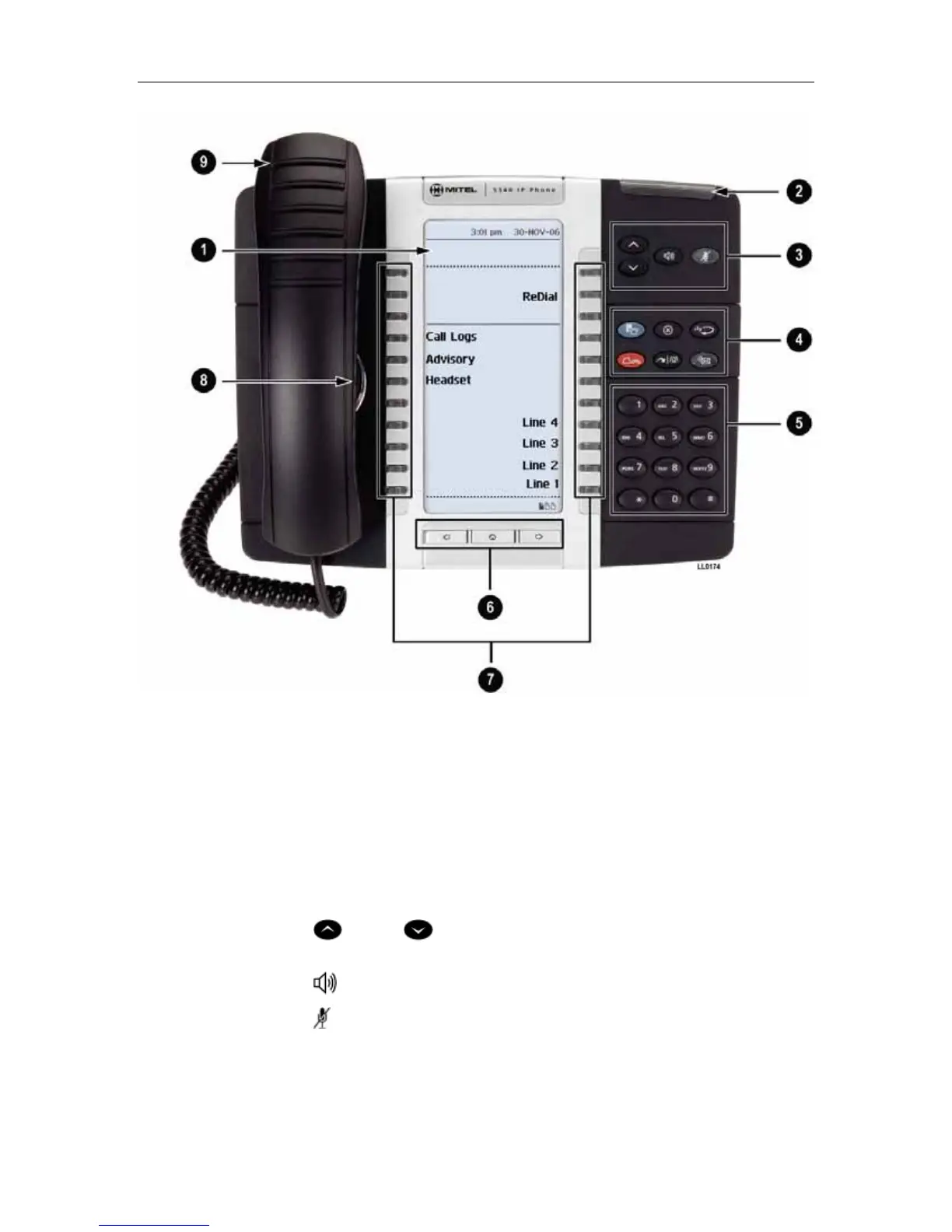
Figure 2. The 5340 SIP Phone
Elements of Your Phone
Feature Function
1) Display Provides a large, high-resolution viewing area that assists you in selecting and
using phone features.
2) Ring/Message
Indicator
Flashes to signal an incoming call and to indicate a message waiting in your
voice mailbox.
3) Volume, Speaker
and Mute Controls
Provide the following audio control capability:
(UP) and (DOWN) provide volume control for the ringer, handset, and
handsfree speakers.
(SPEAKER) enables and disables Handsfree mode.
(MUTE) enables Mute, which allows you to temporarily turn your phone's
handset, headset or handsfree microphone off during a call.
3





 To Next Page