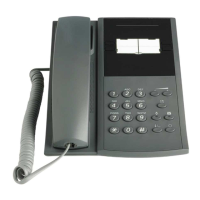
Ordering Follow-me from your own phone:
1. Lift the handset (dial tone) and press numeric key * 2 1 * (UK:*2* )
2. Dial extension number of the answering position and press # (Special dial tone)
3. Replace the handset
Canceling Follow-me from your own phone:
1. Lift the handset (special dial tone) and press numeric key # 21 # (ordinary dial tone) (UK:#2# )
2. Replace the handset
Ordering Follow-me from another phone:
You can order Follow-me of your own extension number from another telephone.
The first step is to allow that Follow-me is permitted to be done from another telephone. Do the
following from your own telephone:
1. Lift the handset (dial tone) and press numeric keys * 2 1 * ( UK:*2* )
2. Dial own extension number and press #
3. Replace the handset
To order Follow me from another telephone:
1. Lift the handset (dial tone) and press numeric keys * 2 1 * ( UK:*2* )
2. Dial own extension number * the extension number of the new answering position # (special dial
tone)
3. Replace the handset
Canceling Follow-me from another phone:
1. Lift the handset (dial tone) and dial # 21*
2. Dial own extension number # (dial tone)
3. Replace the handset
Ordering Follow-me remotely:
With this feature you can order follow-me of any extension number from any telephone.
The prerequisite is that all the involved telephones have the right service profile-
To order remote programming of follow-me, do the following:
1. Lift the handset (dial tone) and press numeric keys * 2 1 * ( UK:*2* )
2. Extension number to divert * extension number of the new answering position #
3. Wait for special dial tone
4. Replace the handset
Canceling Follow-me remotely:
To cancel remote programming of Follow-me from another telephone than the telephone with diverted
number:
1. Lift the handset and wait for the dial tone


 To Next Page