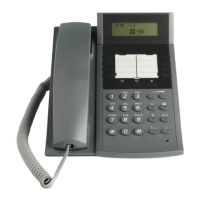
3 TELEPHONE/MENU FEATURES
3.1 CALL RECORDS/CALL LOG
View Call Records
1. Press [ ] to view the call list
2. Press [ ] repeatedly to scroll the list
Save a Call Record
To store one telephone number from the Call Records list to one of the memory keys:
1. Press the Call list key [ ] until you see the number you want to save
2. Press the Save key [ ]
3. Press the memory key you want to use for this telephone number (M0 to M7).
4. Sign the number card
Delete Call Records
1. Press [ ] and Press [ ] to delete record
Dial from Call record
1. Select the call record that you wish to call.
2. Lift the handset or press either
3.2 SPEED DIAL MEMORY
There are eight memory keys (M0-M7) for storing frequently used number.
Save a Memory
1. Replace the handset on the phone
2. Select and press one of the memory keys (M0 to M7)
3. Press [ ] and enter the number to be saved
4. Press [ ] key again to complete saving
Dial from a Memory key
1. Pick up the handset or press [ ]
2. Select and press one of the memory keys (M0 to M7)
Delete Memory key
1. Replace the handset on the phone
2. Press memory key (M0 to M7)


 To Next Page