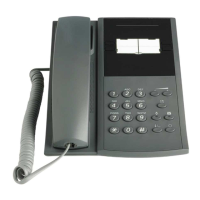
Activate or change profile from own extension:
1. Lift handset and press numeric keys *1 0 * ( 1- 5 ) #
2. Replace the handset
Canceling a profile from your phone:
1. Lift handset and press numeric keys #10#
2. Replace the handset
Voice Mail
Enter your mailbox:
1. Lift handset and dial the voice mail number and follow recorded instruction.
Note: If the number to the voice mail system has been programmed on the message waiting key you
can also press that key to enter the mailbox.
Call Waiting
If you urgently wish to contact a busy extension or external line, you can notify the extension by a call
waiting signal:
1. At busy tone, press numeric key, 5 (Finland, France: 6 Sweden: 4).
2. Wait on line
Account Code
This feature is used to charge a call to an account number or to prevent unauthorized calls
from your phone. The account code can have 1-15 digits.
1. Lift handset and press numeric key * 6 1 * account code #
2. Dial the digit or digits to get an external line and the external number.
Absence Information
The absent information is used to inform the caller why you are absent and when you will return.
Contact your system administrator regarding the available absence codes.
With return date and time
1. Lift the handset and press numeric key * 2 3 *
2. Enter absence code (0-9) and press numeric key *
3. Enter the date or time (MMDD) or time (HHMM), press #
Cancel: Lift handset and press numeric key # 2 3 #, Replace the handset.
Without return date and time
1. Lift the handset and press numeric key * 2 3 *
2. Enter absence code (0-9) and press numeric key #
Cancel: Lift handset and press numeric keys # 2 3 #, Replace the handset.
Order for another extension:
1. Lift the handset and press numeric key * 2 3 0 *


 To Next Page