Use the manual Beichen Automation BCNET-FX-S Ethernet communication processor
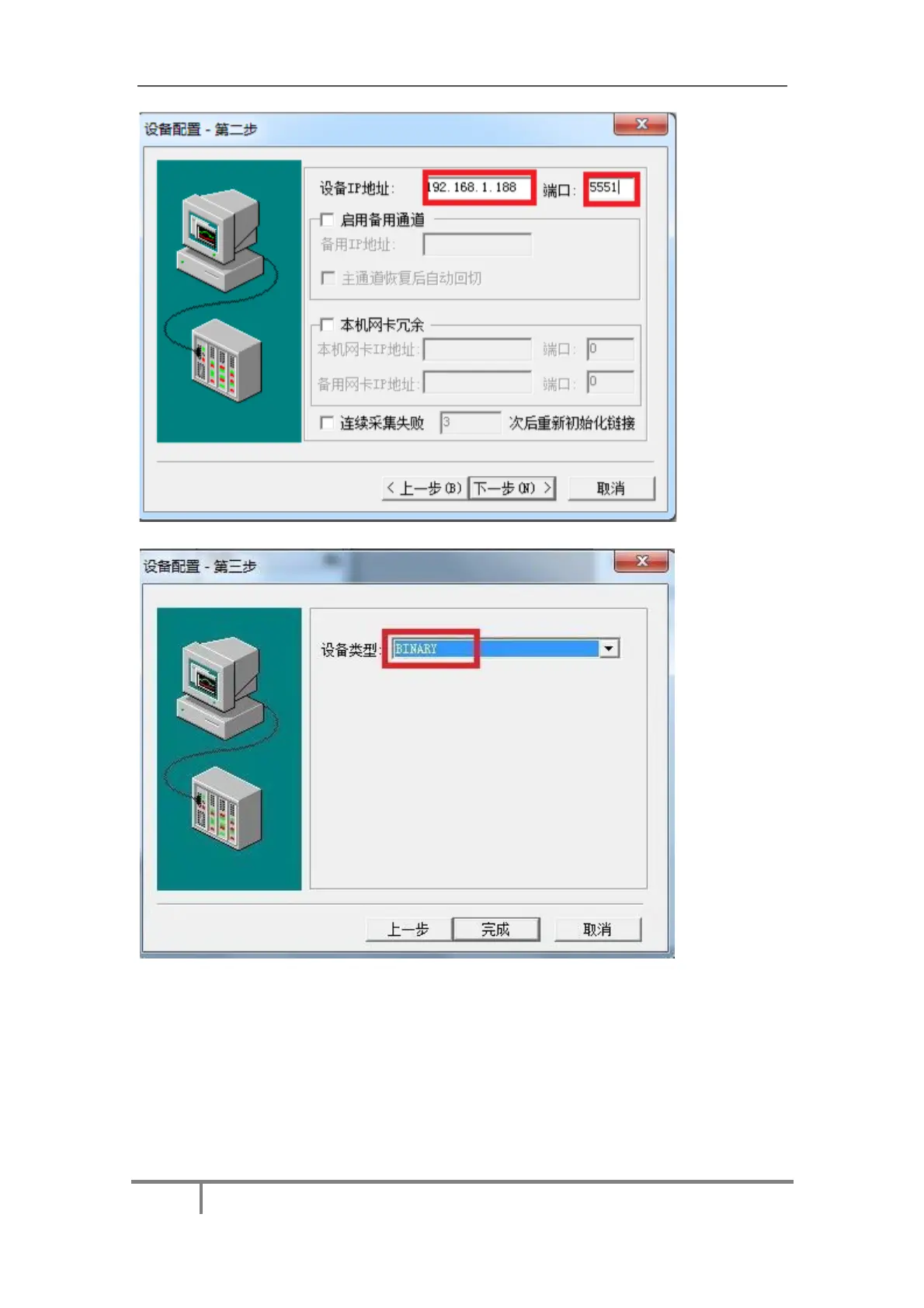
Four. “Device type” select“BINARY” and click finish.
5.5bcnet-fx-s connects to Kepware OPC
1. Open the KEPSERVEREX software, Click“Click to add a channel”, create a new channel, enter
a channel name, and Click“Next”.
Fifty-five



 To Next Page
 Loading...