EasyManua.ls Logo

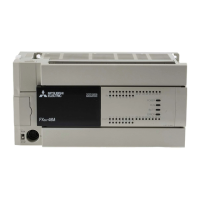
Mitsubishi FX3U Series - User Manual

Mitsubishi FX3U Series
476 pages
Print Icon
To Next Page IconTo Next Page
Loading...
USER'S MANUAL - Hardware Edition
FX
3U
SERIES PROGRAMMABLE CONTROLLERS
FX
3U
-FLROM-
Memory Cassette
FX
3U
-7DM
Display Module
FX
2N
-8E
-
Input/Output Extension Block
FX
3U
-4HSX-ADP
Special Adapter
FX
3U
-
MR/ES
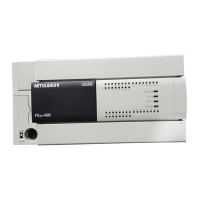
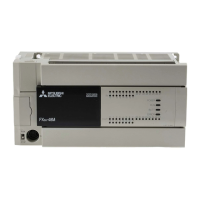
Main Unit
FX
2N
-
E
-
Input/Output Powered Extension Unit
FX
3U
-
MT/ES
FX
3U
-
MT/ESS
FX
2N
-16E
-
AC Power Type
FX
3U
-
MR/DS
FX
3U
-
MT/DS
FX
3U
-
MT/DSS
DC Power Type

Table of Contents

Other manuals for Mitsubishi FX3U Series

Questions and Answers

  • M
    Michael HallSep 8, 2025
    What causes bus character overrun on Mitsubishi FX3U?
    • T
      Timothy RobinsonSep 8, 2025
      A bus character overrun, where more than 256 bytes are received in RTU mode, can be caused by errors in the Turn Around Delay and Message to Message Delay data registers; D8410-D8411, or D8430-D8431. Also verify that the serial port settings are correct.
  • R
    robert99Aug 23, 2025
    What to do if Mitsubishi FX3U Controller data is sent but not received?
    • M
      Maria MayAug 23, 2025
      If data is being sent but not received, check the status of the "RD" and "SD" indicator LEDs provided in the optional equipment. Additionally, verify the wiring, communication settings, and error statuses of the master and slave stations.
  • D
    Dr. William HowellAug 25, 2025
    What to do if Mitsubishi Controller data is received but not sent?
    • A
      Ashley BensonAug 25, 2025
      If data is received but not sent, check the status of the "RD" and "SD" indicator LEDs provided in the optional equipment. It's also important to verify the wiring, communication settings, and error statuses of the master and slave stations.
  • T
    Terry OliverAug 26, 2025
    How to fix communication if it will not function correctly due to incorrect wiring of Mitsubishi FX3U Controller?
    • A
      Anthony BrockAug 27, 2025
      To resolve communication issues caused by incorrect wiring, verify that all communication equipment is correctly wired.
  • A
    Amanda StarkAug 27, 2025
    What to do if communication will not function correctly due to insecure connection of Mitsubishi FX3U Controller?
    • S
      Samantha GainesAug 27, 2025
      If communication is not functioning correctly due to an insecure connection, verify that the communication equipment is securely connected with the PLC.
  • S
    Scott BowmanSep 22, 2025
    What to do if Illegal Broadcast Command on Mitsubishi Controller?
    • B
      Brian YoungSep 22, 2025
      If an illegal broadcast command occurs, verify that the command is within the Slave Specifications and that broadcasting is applicable.
  • T
    Timothy BrownSep 16, 2025
    How to resolve invalid parameter setup on Mitsubishi Controller?
    • J
      Jessica MontesSep 16, 2025
      To resolve an invalid parameter setup, check the MODBUS configuration program block.
  • C
    Christopher MedinaSep 18, 2025
    How to resolve MODBUS communication parameter settings are invalid on Mitsubishi Controller?
    • J
      Jasmine PhillipsSep 18, 2025
      To resolve invalid MODBUS communication parameter settings, check the MODBUS configuration program block.
  • D
    Dennis WilliamsSep 7, 2025
    How to resolve using dedicated Inverter communication instructions on the same channel as the MODBUS communication on Mitsubishi FX3U?
    • E
      Eric CameronSep 7, 2025
      To resolve issues from using dedicated Inverter communication instructions on the same channel as MODBUS, verify that none of the dedicated Inverter communication instructions are being used on the same channel as the MODBUS communication. If any of the instructions are being used on the same channel, delete it, and then reboot the PLC's power.
  • T
    tracystephensonSep 4, 2025
    What does data length mismatch mean for Mitsubishi FX3U Controller?
    • C
      Chloe WilkersonSep 4, 2025
      A data length mismatch means the received data does not match the byte count value within the telegram. Verify that the Slave is using MODBUS Serial Communication and that the correct command was received. Also verify that the device count of the command is within the limits of the Slave and Master.

Mitsubishi FX3U Series Specifications

General IconGeneral
ModelFX3U Series
Program Memory64k steps
Execution Speed0.065 μs/basic instruction
TypePLC (Programmable Logic Controller)
Power Supply100-240V AC
I/O PointsUp to 384
CommunicationUSB
ExpansionSupported via expansion modules
High-Speed CountersUp to 6 channels
Analog Input/OutputAvailable via expansion modules
Temperature Range0 to 55°C
Programming LanguageLadder Logic, Structured Text
Built-in FunctionsPID control
Humidity5 to 95% (non-condensing)

Related product manuals