Ⅴ .Firmware Upgrade Instructions
The factory firmware is up to date, so no need to update.
5.1 The ways to get the MKS TFT24 Latest Firmware.
Get firmware from customer service or technician
Download the firmware from the makerbase discussion group.
https://github.com/makerbase-mks?tab=repositories
5.2 The methods for updating the firmware
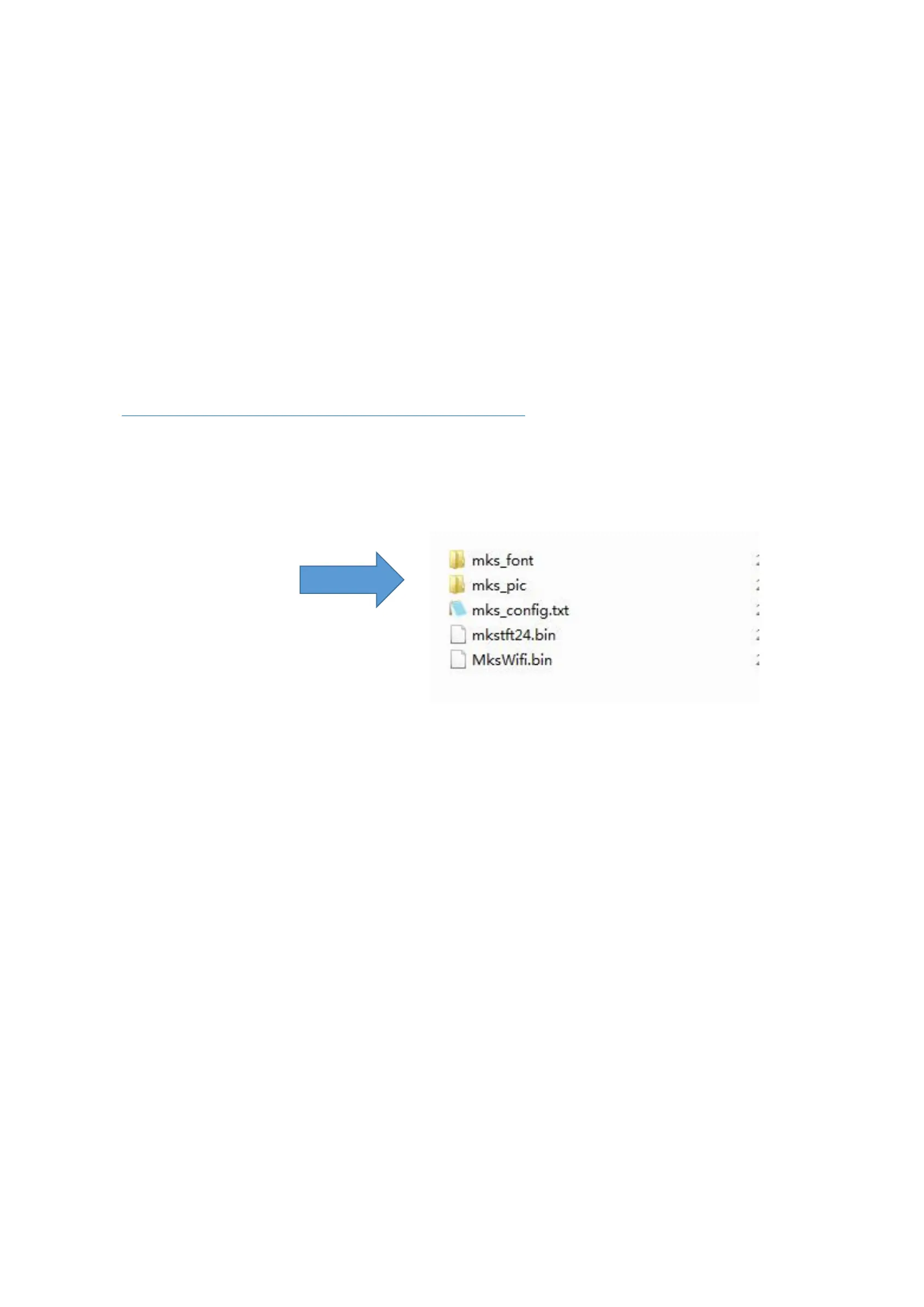
5.2.1 Copy the latest upgrade to the SD card root directory, including:
Mks_font
Mks_pic
Mks_config.txt
Mks_tft24.bin
Mks_WiFI.bin
Attention:Do not modify file names.
No need to copy mkswifi.bin without WiFi module.
5.2.2 Plug the SD card into the motherboard and power on,hear drops ~ ~ A short sound, touch screen
display update process, and so about 30S after the completion of the update.
5.2.3 You can click” Settings--about” on the touch screen , to view current firmware information.
5.2.4 Advice: After the update is complete, delete the pictures and Fonts folder, avoid the next time to
update the pictures and fonts.


 To Next Page