7.4 Upper Computer Printing
4.1 pringtrun printing
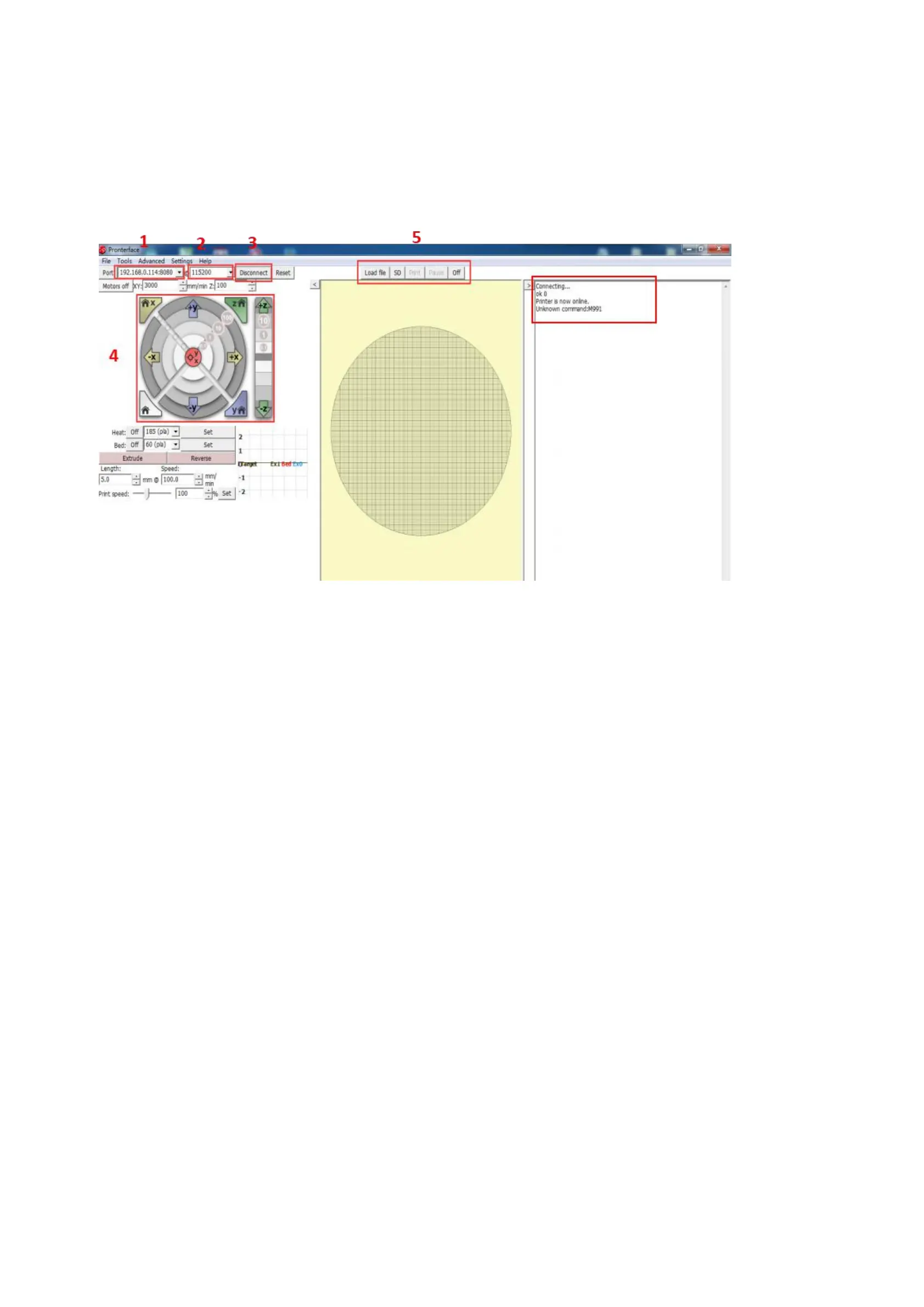
Here fill in "IP address +:8080", IP address can be in the set "WiFi" view, such as the above image of the IP
address of 192.168.0.114, so fill in as: 192.168.0.11.4:8080;
Baud rate selection is 115200 (same as the baud rate of the motherboard, modified according to the actual
situation)
The button of connect and disconnect.
After the icon color becomes darker, the connection is successful;
choose SD file printing or select the computer file printing (select the computer file printing is a command
transmission printing, so the printing effect is not good, and unstable, do not recommend this method)
View information about the printer feedback.


 To Next Page