+1(323)904-3000 26 www.mobiusa.com
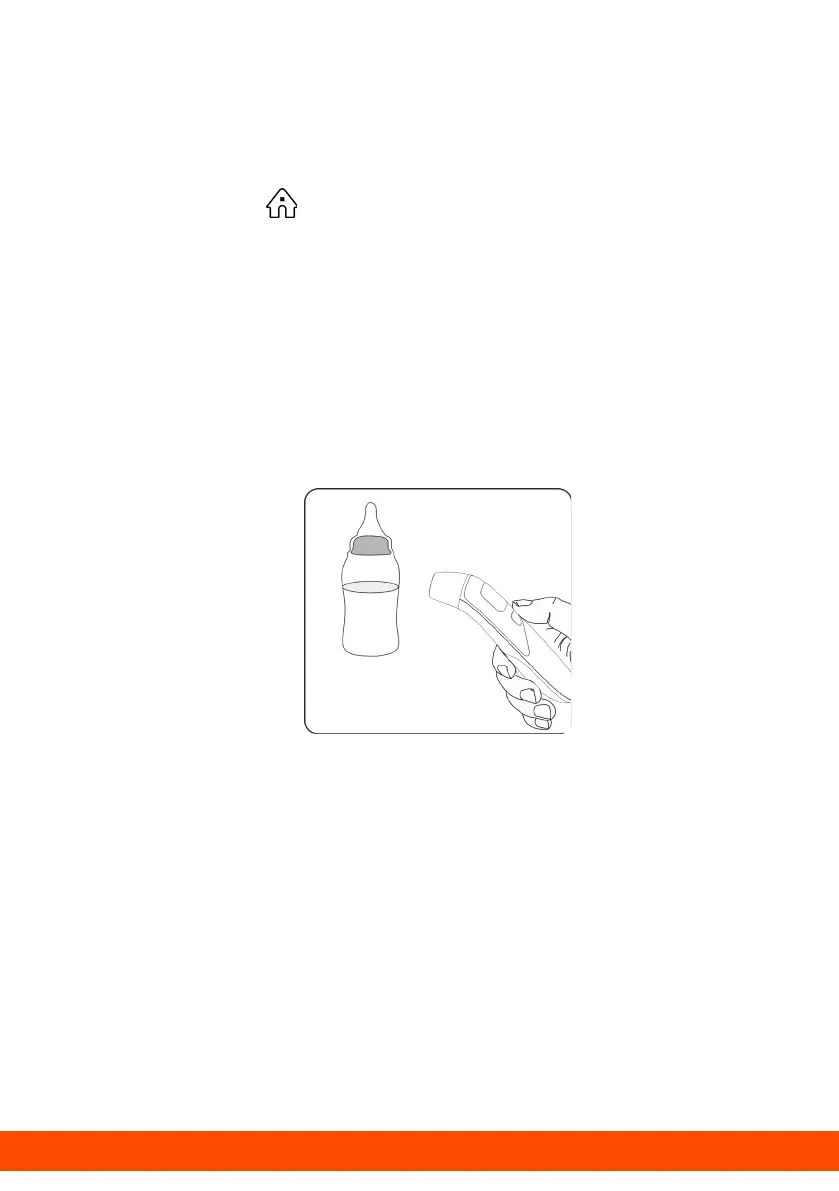
Measuring Object Temperature
1. Place the cover on the probe of the thermometer.
2. Press the Power button to turn on the thermometer.
3. Press the Mode button to set the thermometer to object
mode. The ( ) symbol will display on the screen.
4. Point the thermometer probe at the center of the object,
about “0.5~1.5in.” away from the object's surface.
5. Press and release the Measure button for one second.
The temperature reading will display instantly on the
screen.
6. The thermometer will automatically power off after 10
seconds if no activity is detected.
After a measurement
• After each measurement, you can enter the recall mode
and query earlier temperature readings. For more
details, see "Recall 20 memories" in the preceding table.
• After each measurement, clean the temperature probe
with a soft cloth and store the thermometer in a dry,
well-ventilated area.



 To Next Page