+1(323)904-3000 28 www.mobiusa.com
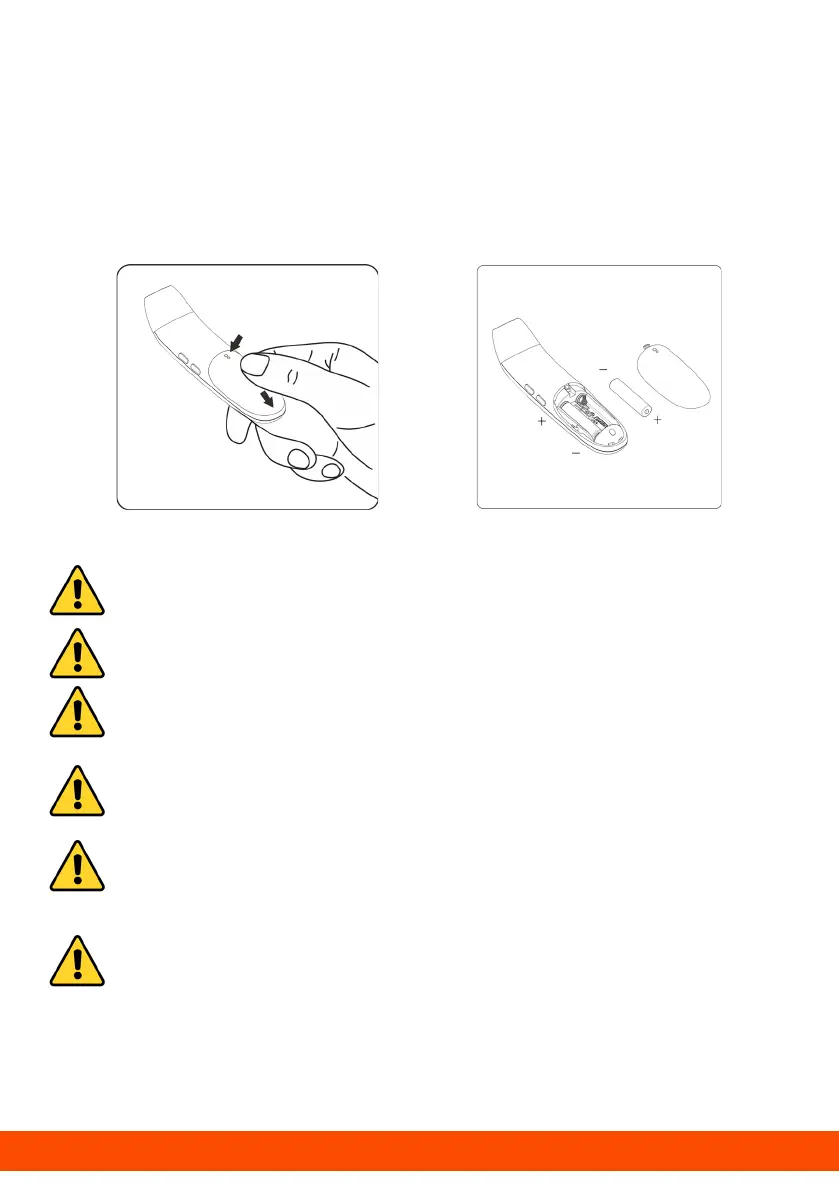
Replacing Batteries
1. Slide off the battery cover along the marked direction
and take it off.
2. Insert two AAA batteries into the compartment
according to the stated polarities.
Caution: Make sure the batteries are installed correctly.
Otherwise, the thermometer may be damaged.
Caution: Do Not Mix old and new batteries
Caution: Do Not Mix alkaline, standard, or rechargeable
batteries.
Caution: If the low-battery symbol is displayed on the
screen, replace the batteries.
Caution: Dispose of the used batteries in accordance
with your local environmental policies.
Caution: The thermometer comes with batteries. First,
open the battery cover, then remove the insulating
piece.



 To Next Page