FAN- FAN+
MODE
HEATE R SLEEP
CLOCK
TIMER
LOCK
LIGHT
0 0
C / F
FAN- FAN+
MODE
HEATE R SLEEP
CLOCK
TIMER
LOCK
LIGHT
0 0
C / F
16
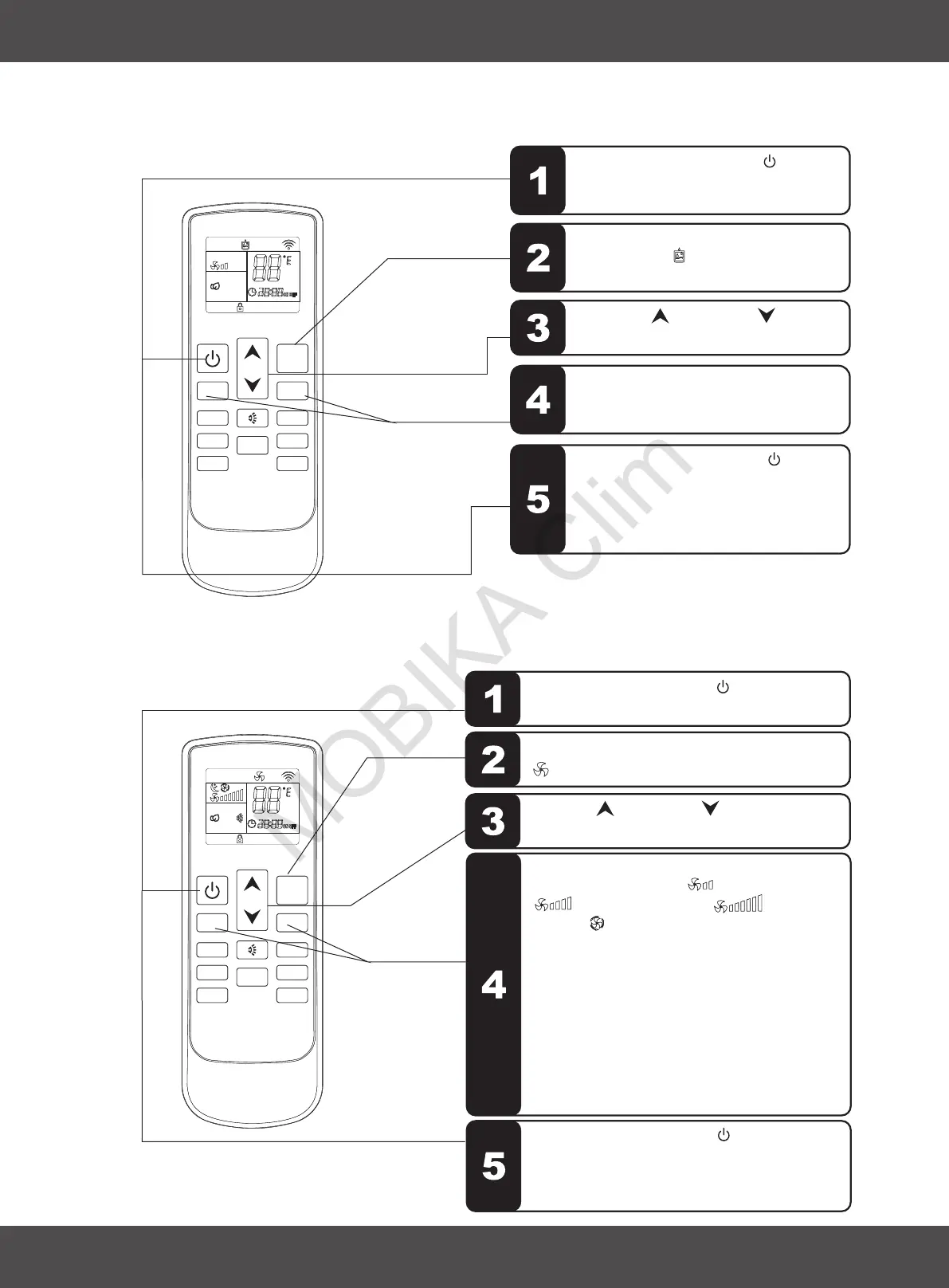
3.5 DRY MODE
3.6 FAN MODE
Sequence of the operations
Sequence of the operations
FAN SPEED button " " or
is disable, indoor fan speed always is
low in dry mode.
" "
Press the ON/OFF button " ",switch on the
air conditioner, it will run by memory mode.
Press the MODE button, set up the mode to fan
" ", the air conditioner will run in fan.
Press UP " " or DOWN
the setting up temperature.
" " button, to adjust
Press the FAN SPEED button" " or
,set up the fan speed, " " is low speed,
" " is middle speed, " " is high
speed, " " is auto speed.
For auto fan, the speed is chosen by the
difference of room temperature and setting
temperature.
Room temperature-setting temperature>5℃
high speed.
Room temperature-setting temperature>3℃
middle speed.
Room temperature-setting temperature>1℃
low speed.
" "
FAN+ FAN-
FAN+ FAN-
3. USE AND MAINTENANCE
ENGLISH
Press the ON/OFF button " ", switch
on the air conditioner, it will run by
memory mode.
Press the MODE button, set up the
mode to dry
will run in dehumidifying.
" ", the air conditioner
Press UP " " or DOWN
, to adjust the setting up temperature.
" " button
Press the ON/OFF button " ", switch
on the air conditioner.
Next time when this button is pressed,
the air conditioner will operates in this
mode by memory.
Press the ON/OFF button " ", switch off the
air conditioner. Next time when this button is
pressed, the air conditioner will operates in
this mode by memory.


 To Next Page