FAN- FAN+
MODE
HEATE R SLEEP
CLOCK
TIMER
LOCK
LIGHT
0 0
C / F
FAN- FAN+
MODE
HEATE R SLEEP
CLOCK
TIMER
LOCK
LIGHT
0 0
C / F
3. USE AND MAINTENANCE
ENGLISH
18
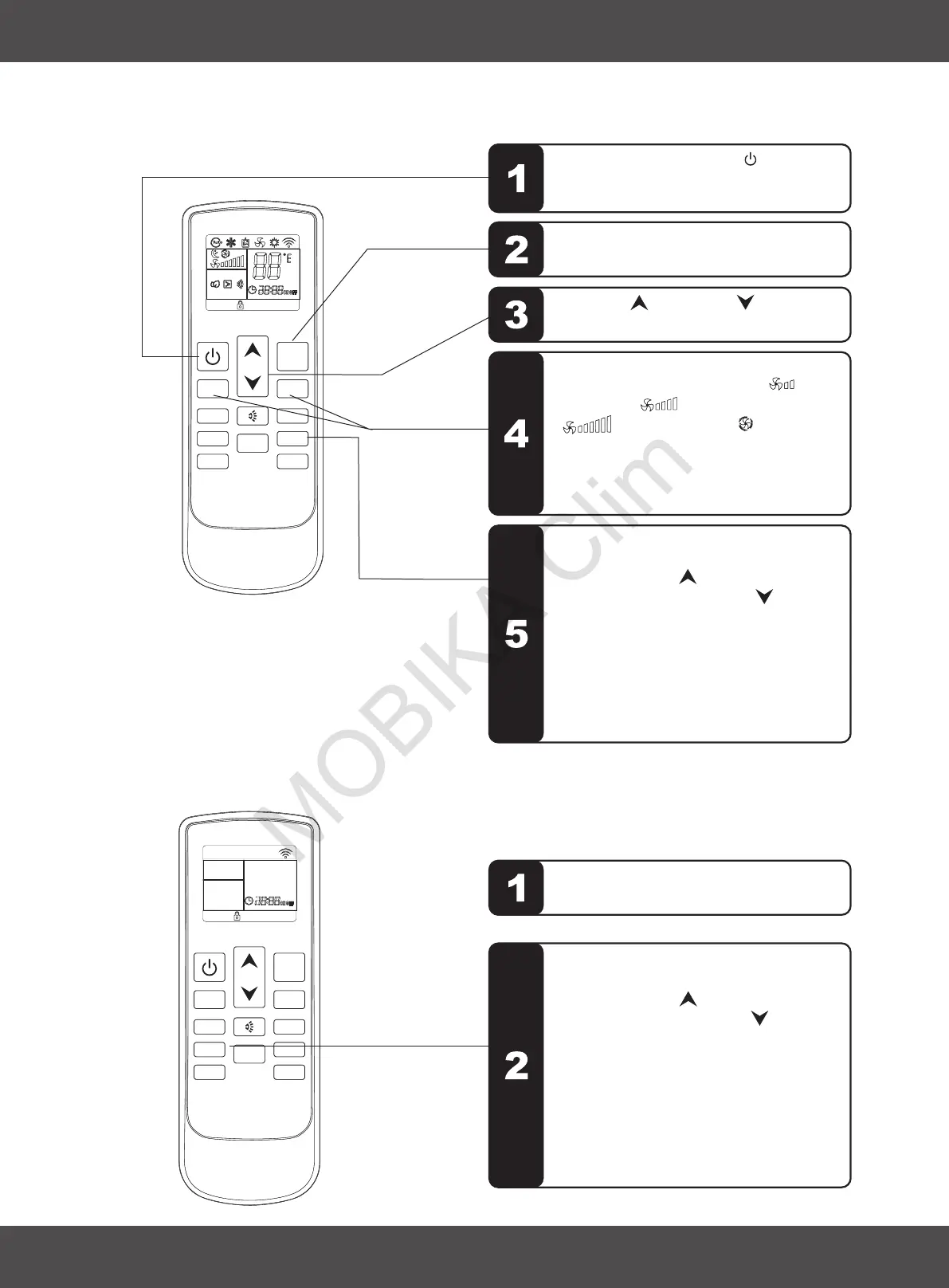
3.9 TIMER OFF FUNCTION
Sequence of the operations
Sequence of the operations
3.10 TIMER ON FUNCTION
The air conditioner is switched off.
Press the TIME button " " , set up the
time which the air conditioner switch on.
Press the button “ ” each time, adjusting
up 1 hour; Press the button “ ” each time
, adjusting up 10 minutes. Set up the
operation MODE, TEMPERATURE,
FAN SPEED etc.,press the timer button to
confirm the date entered. When the time is
arrived, the air conditioner will start
automatically. If the TIMER ON button is
pressed again, the TIMER ON setting will
be cancelled.
TIMER
3. USE AND MAINTENANCE
ENGLISH
Press the FAN SPEED button " "
" " , set up the fan speed, " " is
low speed, " "is middle speed,
" " is high speed, " " is auto
speed.
For auto fan, the speed is chosen by the
difference of room temperature and
setting temperature.
or
FAN+
FAN-
TIMER
Press the TIME button " " , set up
the time air conditioner switch off.
Press the button “ ”each time, adjusting
up 1 hour; Press the button “ ” each
time, adjusting up 10 minutes; press the
timer button to confirm the data entered.
When the time is over, the air conditioner
will be switched off automatically.
If press this button again before the air
conditioner switch off, the timer off setting
will cancelled.
Press the ON/OFF button " ", switch on
the air conditioner, it will run by memory
mode.
Press the MODE button set up the mode to
which you want.
Press UP " " or DOWN
adjust the setting up temperature.
" " button, to


 To Next Page