FAN- FAN+
MODE
HEATE R SLEEP
CLOCK
TIMER
LOCK
LIGHT
0 0
C / F
FAN- FAN+
MODE
HEATE R SLEEP
CLOCK
TIMER
LOCK
LIGHT
0 0
C / F
3. USE AND MAINTENANCE
ENGLISH
17
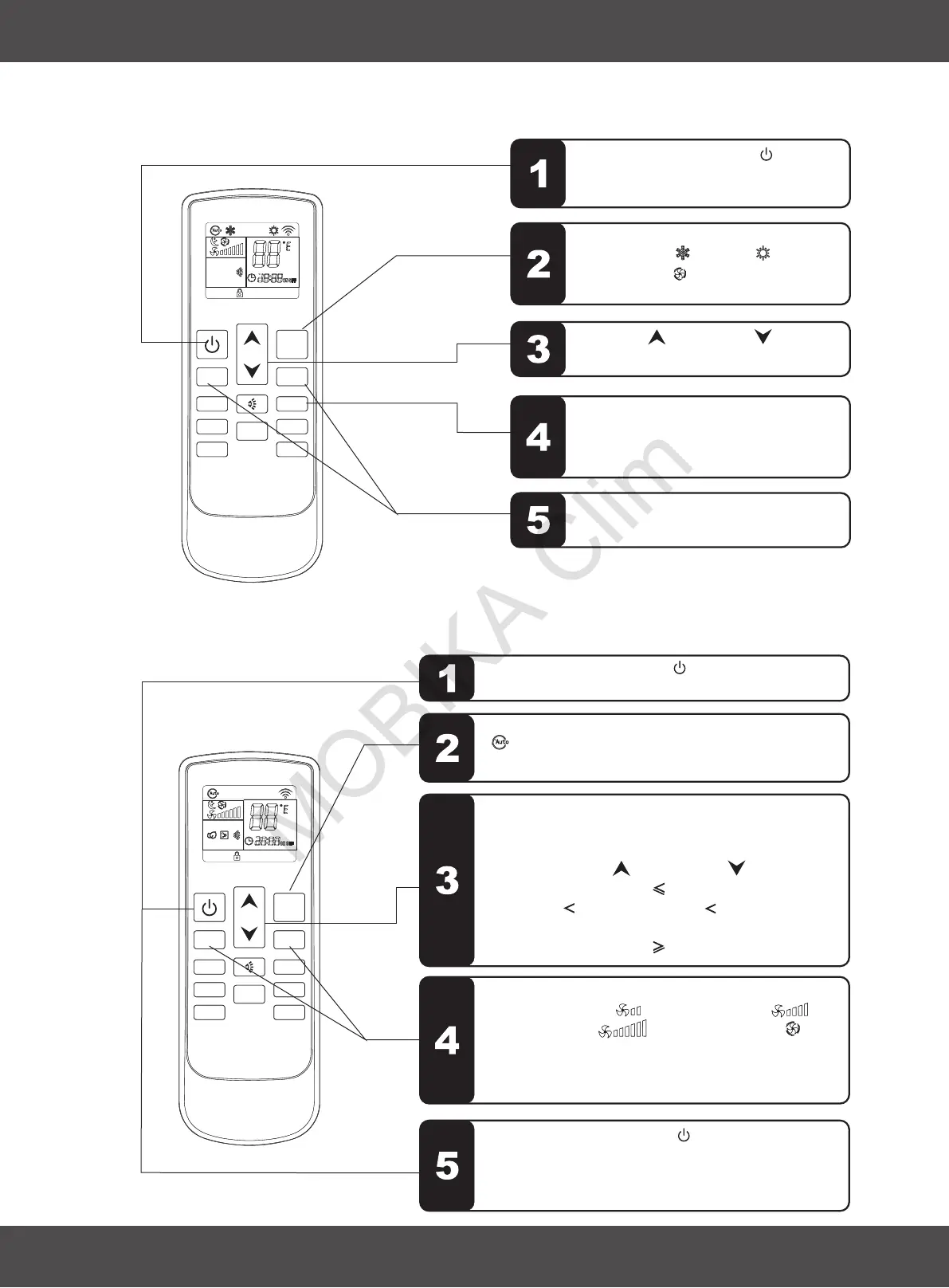
3.7 SLEEP MODE
Sequence of the operations
3.8 AUTO MODE
Sequence of the operations
Press the MODE button, set up the mode to auto
" ", the air conditioner will run in auto mode.
(Reference to “emergency operation”)
Press the FAN SPEED button " " or , set
up the fan speed, " " is low speed, " " is
middle speed, " " is high speed, " " is
auto speed.
For auto fan, the speed is chosen by the difference
of room temperature and setting temperature.
" "
Press the ON/OFF button " ", switch off the air
conditioner. Next time when this button is pressed,
the air conditioner will operates in this mode by
memory.
According to the difference of room temperature and
setting temperature automatically choose the
running mode(cool, heat, fan). The temperature
setting button UP “ ” and DOWN “ ” are disable.
0
When room temperature 20 C, run with heat mode.
0 0
When 20 C room temperature 25 C, run with fan
mode.
0
When room temperature 25 C, run with cool mode.
FAN+ FAN-
3. USE AND MAINTENANCE
ENGLISH
Press the SLEEP button , this icon will
display on LCD, sleep function is set
up; press it again, cancel the sleep
function.
Press the ON/OFF button " ", switch
on the air conditioner, it will run by
memory mode.
Press the MODE button, set up the
mode to cool " " / heat " "(heat
pump) / auto " ", the air conditioner
will run in setting mode.
Press UP " " or DOWN
, to adjust the setting up temperature.
" " button
If the sleep function is launched, the fan
speed is steady in low speed.
Press the ON/OFF button " ", switch on the air
conditioner, it will run by memory mode.


 To Next Page