3. USE AND MAINTENANCE
ENGLISH
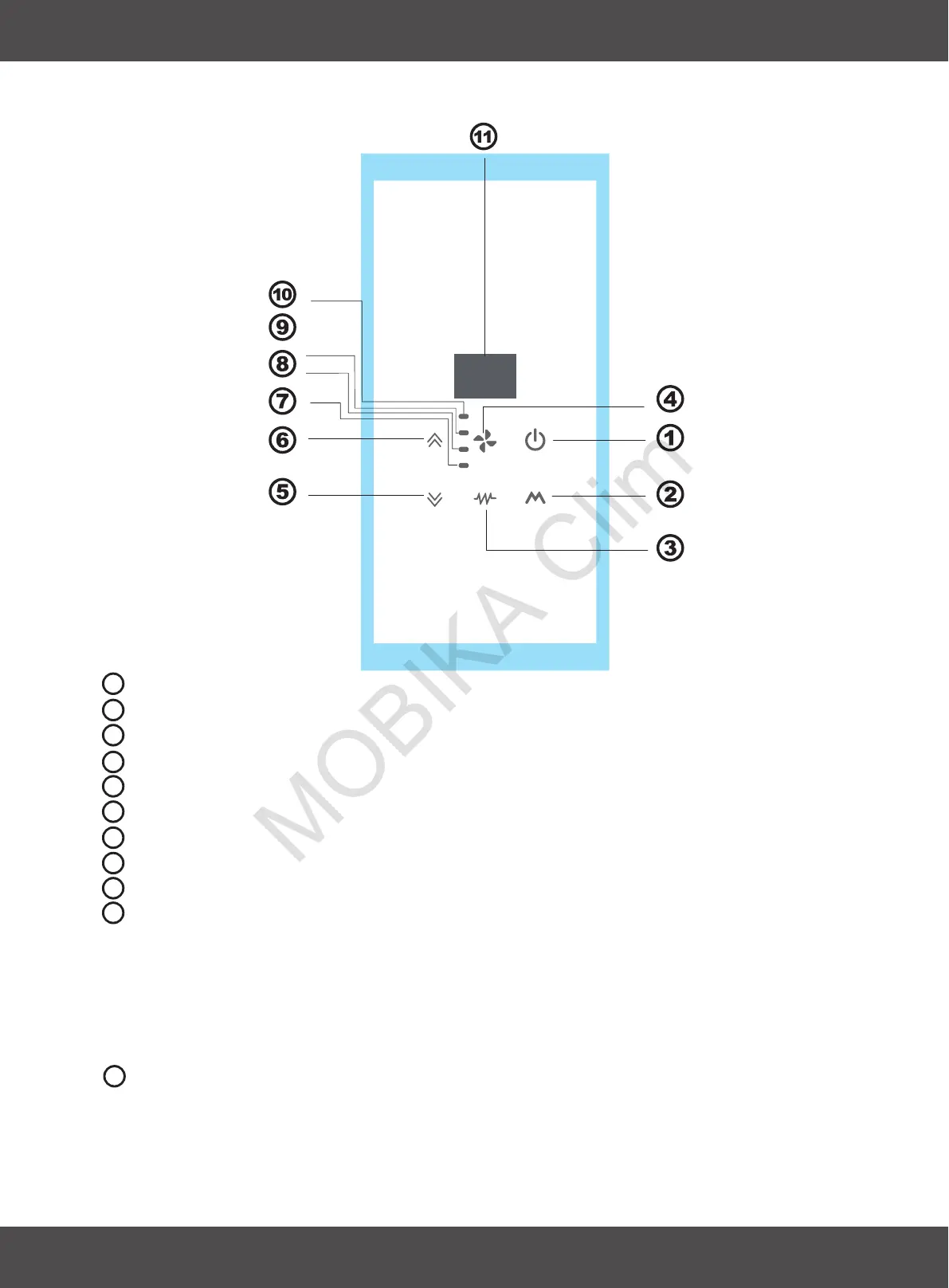
3.12 On board control function
ON/OFF BUTTON: Turn on or turn off the air conditioner
MODE BUTTON: Set up the air conditioner operating mode
ELECTRICAL HEAT BUTTON: Turn on or turn off the electrical heat.
DOWN BUTTON: Decrease the temperature and time
UP BUTTON: Increase the temperature and time
HIGH SPEED LED: Signal the high speed working state
MIDDLE SPEED LED: Signal the middle speed working state
LOW SPEED LED: Signal the low speed working state
AUTO FAN LED: Signal the automatic fan state
If you select the AUTO speed, the fan speed is according with the room
temperature and setting temperature.
0
Room temperature-setting temperature>5 C, high speed;
FAN SPEED BUTTON: Set up the fan speed
0
Room temperature-setting temperature>3 C, middle speed;
0
Room temperature-setting temperature>1 C, low speed.
Temperature display window
The display will show both setting temperature and ambient temperature.
After adjusting the setting temperature, the setting temperature will flash
15 minutes on the display, then the display will show the ambient temperature
for 70 seconds. After that, the display will be off until next adjustment.
20
1
2
3
4
5
6
7
8
9
10
11


 To Next Page