xTablet Flex 10A
With Android
12
4 Connections
Your xTablet can connect to any communications networks once proper settings and connections are
congured.
4.1 WIFI Connection
Connecting xTablet to Wi-Fi networks.
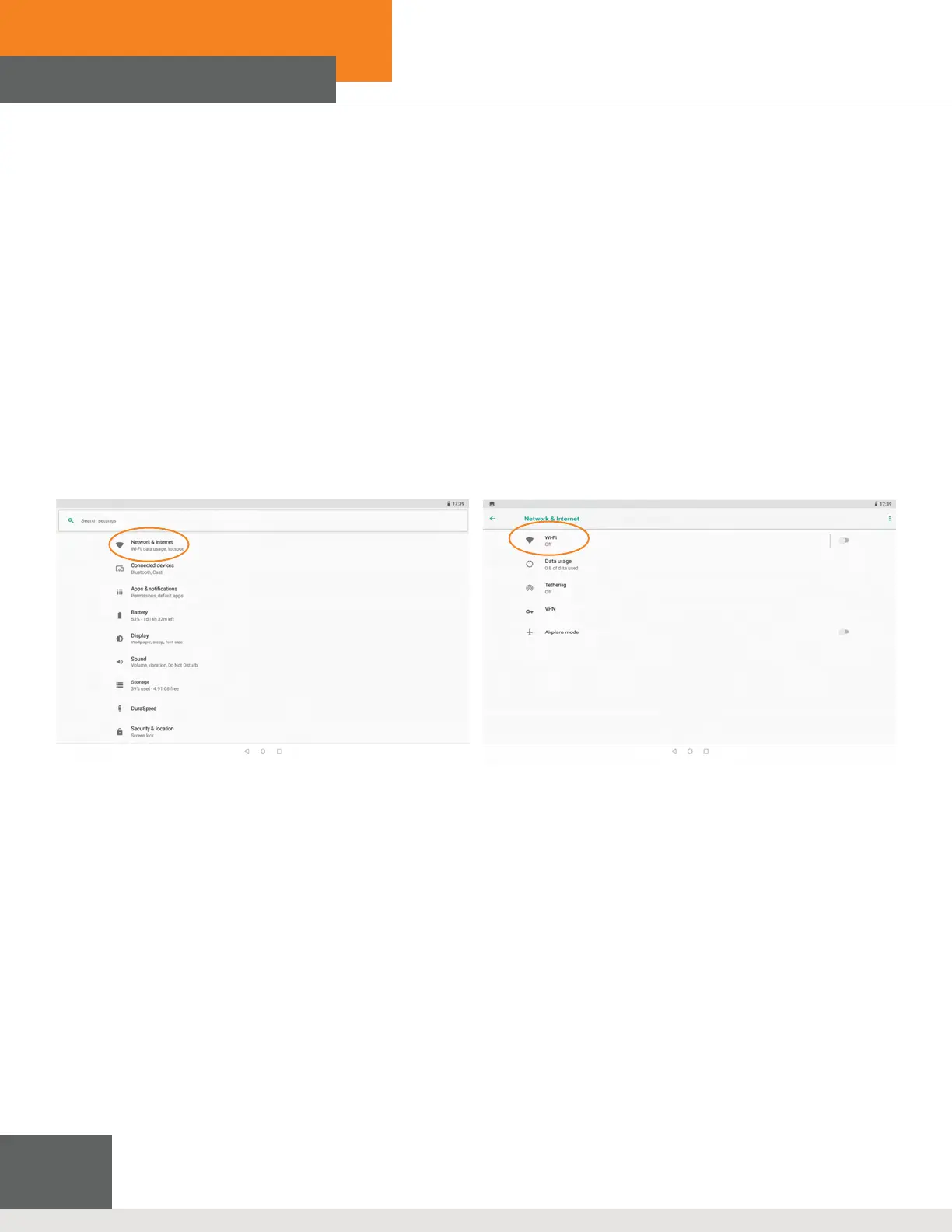
1. On the homepage, tap the “menu” key for the pop-up menu, tap System Setting, then tap Network & internet to open
the Wi-Fi switch. The searched Wi-Fi network will scan automatically from the equipment in the windows on the right.
2. Select the Wi-Fi network to connect, then tap Connection. If prompted, enter the corresponding password
Figure 4-1: Network & Internet > Wi-Fi



 To Next Page