xTablet T7000 Rugged Tablet PC User's Guide
18
Hardware and Software
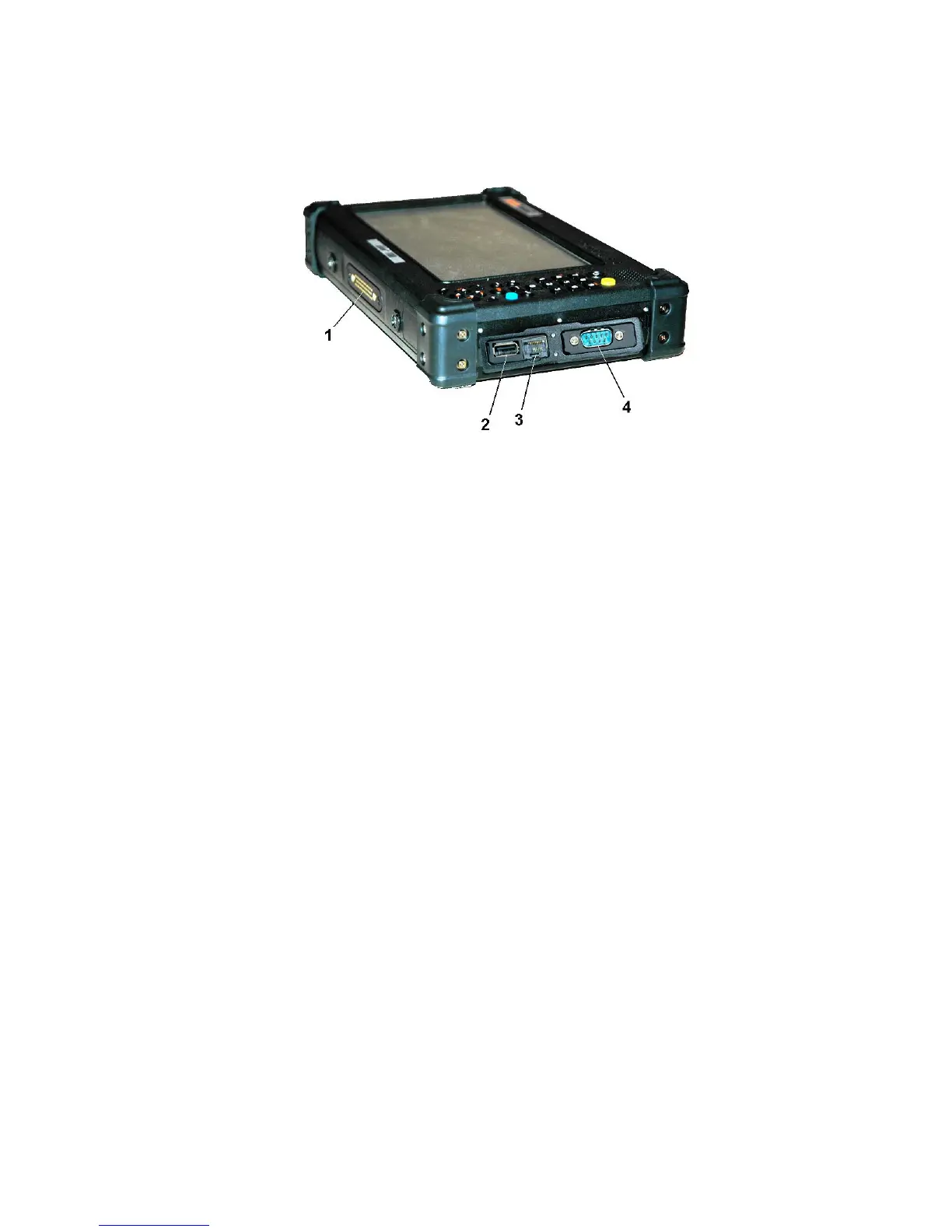
Configuration 2 - I/O 6
1.
Docking and multi I/O connectors
2.
USB port
3.
RJ-45 jack
4.
9-pin communications jack
Mulit IO connector
This connector is reserved specifically for connecting to cradle or docking devices.
USB port
The Universal Serial Bus (USB) is the latest standard for attaching monitors, input devices, scanners,
and other devices to a PC. USB devices can be chained together on a single cable.
LAN RJ-45 jack
With the built-in Ethernet LAN, you can make LAN connection without installing PC cards. Connection
speed is 10/100 Mbps.
9-pin Serial communications jack
Use this jack to connect to your printer for hard-copy printing.



 To Next Page