xTablet T7000 Rugged Tablet PC User's Guide
34
Power Management
Replacing the Battery Pack
Note: The battery packs are hot-swappable.
Over time, battery capacity gradually decreases. MobileDemand recommends that you replace your
battery packs when you notice that they begin to store significantly less charge.
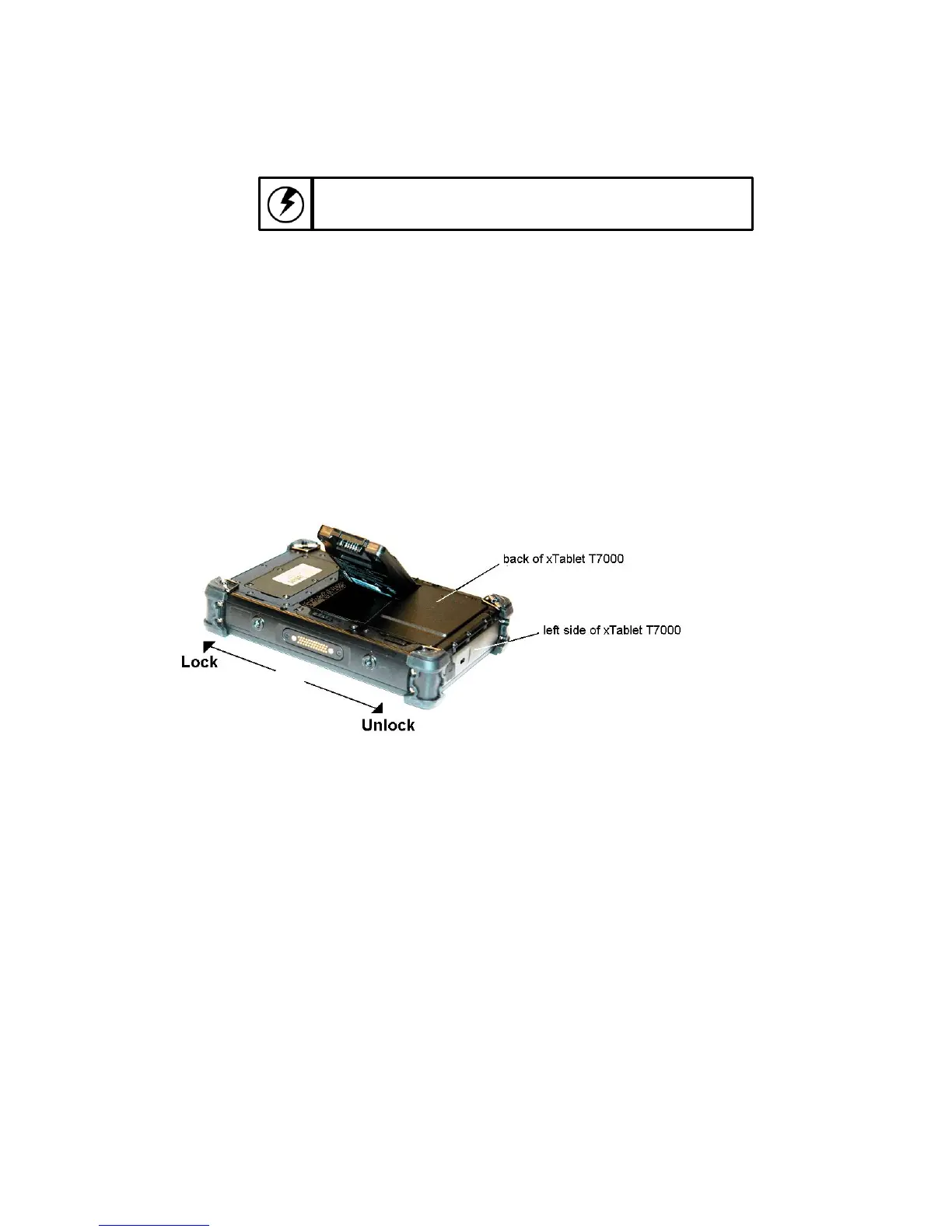
To change the battery
1.
Turn off the xTablet T7000.
2.
Slide the latch to the UNLOCK position to release the depleted battery pack.
3.
Lift the depleted battery pack on the bottom (like in the illustration) and remove it from the bay.
4.
Insert the top of the fully-charged battery pack into the battery bay (like in the illustration) and lower
into place.
5.
Press and hold the bottom of the battery pack as you slide the latch to the LOCK position.
BATTERY DISPOSAL
THIS PRODUCT CONTAINS LITHIUM-ION BATTERY PACKS. IT MUST BE DISPOSED OF
PROPERLY. CONTACT LOCAL ENVIRONMENTAL AGENCIES FOR INFORMATION ON RECYCLING
AND DISPOSAL PLANS IN YOUR AREA.



 To Next Page