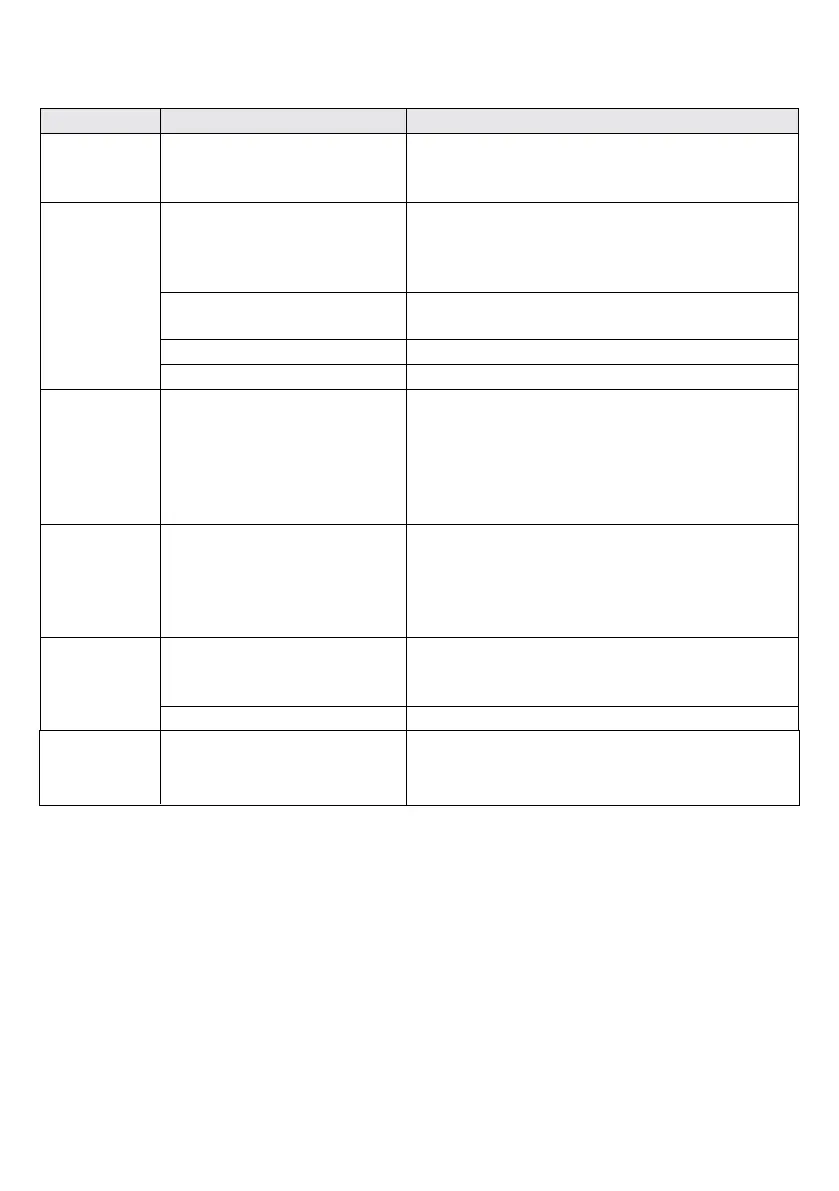
No LDW
alerts
1. You are driving at a speed
below 55 km/h (34 mph)
2. LDW function is manually
disabled
3. The turn signal is on
4. The Hazard signal is on
1. This behavior is normal
2. Re-activate the LDW alerts by setting LDW
sensitivity to level “1” or “2”
3. Turn off the turn signal
4. Turn off the hazard signal
“_._”
continuously
appears in
the Headway
Meter
Missing speed indication Contact your C2-270 service center
Error
indicator is
ON
Malfunction during startup
Restart the system by turning the ignition off and
then back on. If problem persists, contact your
C2-270 service center
Display Unit malfunction Contact your C2-270 service center
The SeeQ is too hot
Turn on the air condition and let the SeeQ unit
cool down
“_._”
Cntinously
flashing
Symptom Possible Cause Possible Solution
Condensation inside the
Windshield Mount
1. Ventilate the front windshield using the
vehicle’s air-conditioning system.
2. Open the windows to clear the condensation.
No audio
alerts are
heard
Low visibility conditions
1. Check for obstructions near the Camera Unit,
and remove them.
2. Low visibility indication should cease when the
weather clears.
You are driving safely, and no
alerts are needed
Keep driving safely!
System is muted Raise volume level to un-mute the system.
Volume level is too low Raise volume level by pressing the “+” button.



 To Next Page