3) DIRECT CONNECTION WITH CABLE BETWEEN THERMO-DISINFECTOR AND PC
It is possible to connect a PC (e.g. a notebook) and a thermo-disinfector directly through a
network cable, without having to connect them both to a local network.
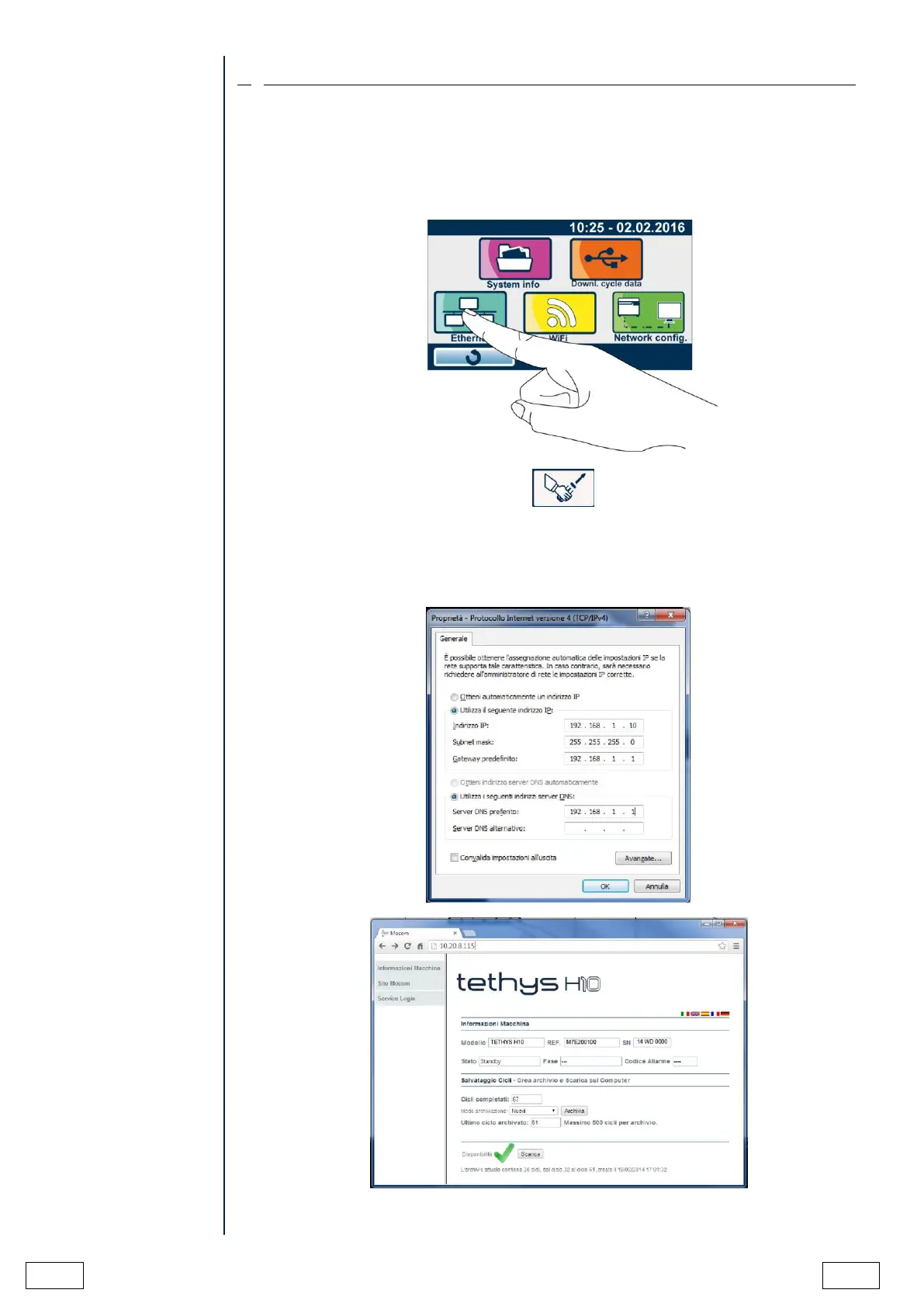
To obtain the connection, PC and thermo-disinfector have to be configured in static mode, as
shown in the previous example, taking care that the two devices have the first three fields
with the same numbering (e.g. PC 192.168.1.10 thermo-disinfector 192.168.1.100).
Access 'Data management' menu. Display the Ethernet configuration page
Then make sure that manual configuration is selected.
The thermo-disinfector proposes its default IP Address, i.e. 192.168.1.100.
Do not use 0 or 255 for the last address field.
Set the PC as per the following image:



 To Next Page