Firmware
Updating firmware
From time to time, firmware updates will be available with new features and
fixes.
The instructions to update the firmware are as follows:
1. Download the latest firmware:
https://www.modernsounds.co/pluto
2. Download the Teensy Loader app here:
https://www.pjrc.com/teensy/loader.html
3. Plug in Pluto to your computer with the USB cable. Power on Pluto.
4. Unzip the firmware and open the .hex
file with Teensy Loader.
5. Choose "Automatic Mode" from Teensy Loader’s Operation menu.
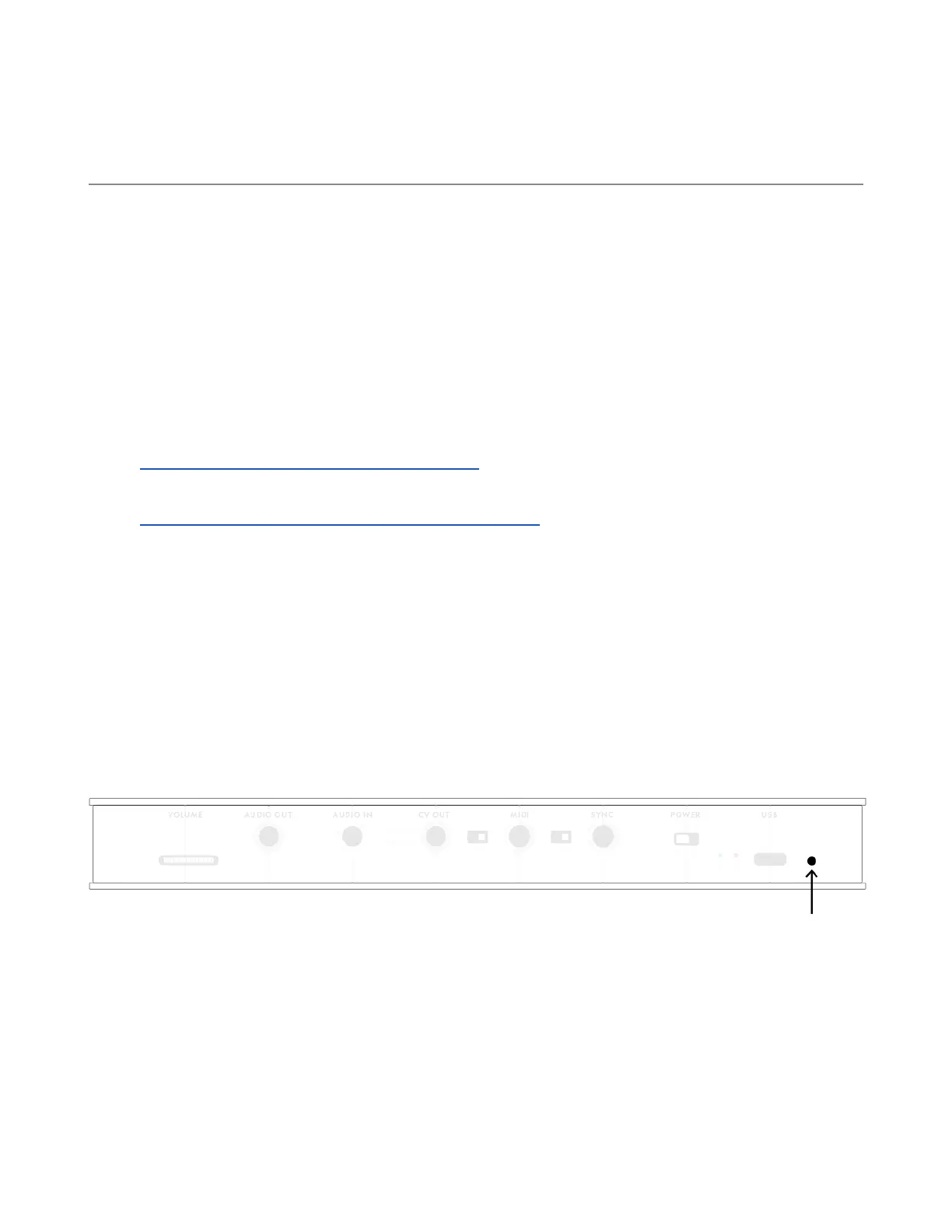
6. Insert a toothpick or paper clip inside the hole to the right of the
USB jack on the back panel. Gently press the button inside. The
firmware will load in a few seconds and Pluto will automatically
reboot. The update is complete.
Troubleshooting
If Pluto does not reboot, make sure you have “Automatic Mode" selected and
try again. If you’re still having trouble, email us at info@modernsounds.co
30


 To Next Page