Revision 3/F3563
© Moffat Ltd, August 2006 E27 Convection Oven
-20-
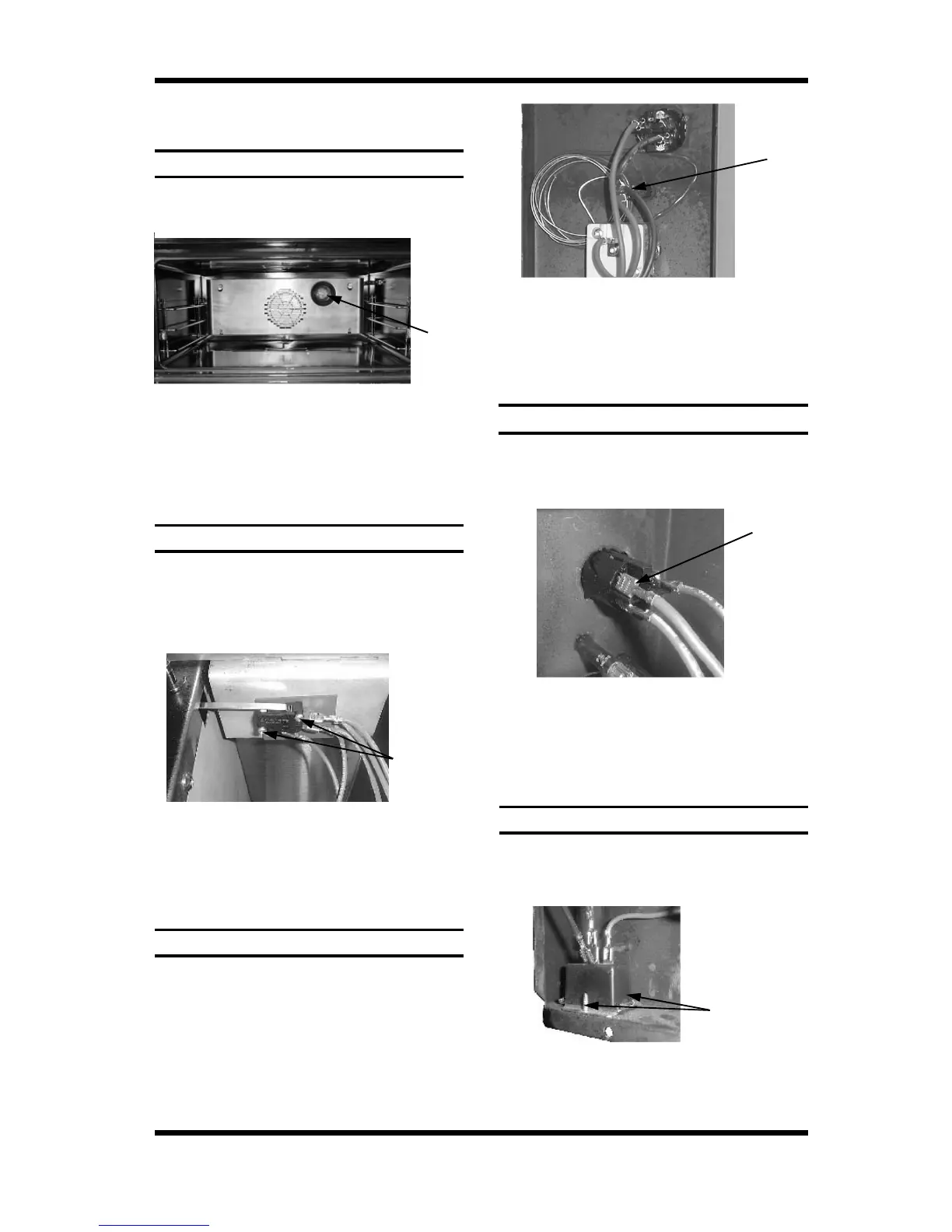
Two Screws
6.3 REPLACEMENT
6.3.1 LIGHT BULB / GLASS
6.3.2 DOOR MICROSWITCH
1) Remove baffle (refer 6.2.3).
2) Unscrew lamp cover.
1) Open oven door.
2) Open control panel (refer 6.2.1).
3) Remove two screws holding microswitch
and insulator to bracket.
6.3.3 INDICATOR NEON LIGHT
1) With control panel open (refer 6.2.1)
remove the wires from the back of the
neon.
6.3.4 POWER / LIGHT SWITCHES
1) With control panel open (refer 6.2.1)
remove the wires from the back of the
switch, noting their positions.
Two Screws
6.3.5 BUZZER
1) Remove control panel (refer 6.2.1).
2) Remove two screws holding buzzer to
panel.
4) Transfer wires to new buzzer.
5) Reassemble in reverse order.
Figure 6.3.5
3) Unscrew bulb out of fitting.
4) Screw in replacement bulb.
5) Replace lamp cover and baffle.
Lamp
Cover
Figure 6.3.1
4) Transfer wires to new micro-switch and
re-assemble.
5) Adjust microswitch (refer 6.4.2).
Figure 6.3.2
2) From back push neon through front of
panel rotating clockwise.
3) Push new neon in from front of panel, and
reconnect wires.
2) From back push switch through front of
panel.
3) Push new switch in from front of panel,
and reconnect wires.
Neon
Wires
Switch
Wires
Figure 6.3.3
Figure 6.3.4


 To Next Page