Revision 3/F3563
© Moffat Ltd, August 2006 E27 Convection Oven
-25-
1) Turn off power.
2) Remove thermostat knob by pulling it
firmly away from control panel.
3) Adjust the calibration screw located in the
centre of the thermostat shaft.
To increase oven temperature, turn
calibration screw anticlockwise.
To decrease oven temperature, turn
calibration screw clockwise.
Adjustment of the calibration screw by 1°
angular will alter oven temperature by
approximately 0.8°C (1.5°F).
6.4 ADJUSTMENT / CALIBRATION
6.4.2 DOOR MICROSWITCH ADJUSTMENT
1) Open oven door.
2) Open control panel (refer 6.2.1).
3) With fingers, bend actuator arm of
microswitch so that switch operates when
door is in closed position.
6.4.1 THERMOSTAT CALIBRATION
IMPORTANT: IF THE OVEN
TEMPERATURE NEEDS TO BE
INCREASED, ENSURE THAT THE
THERMOSTAT IS IN THE ‘OFF’ POSITION
BEFORE CARRYING OUT ADJUSTMENT.
IF OVEN TEMPERATURE NEEDS TO BE
DECREASED, ENSURE THERMOSTAT IS
IN THE ‘MAX’ TEMPERATURE POSITION
BEFORE CARRYING OUT ADJUSTMENT.
Figure 6.4.1
Calibration Screw
Actuator Arm
Figure 6.4.2
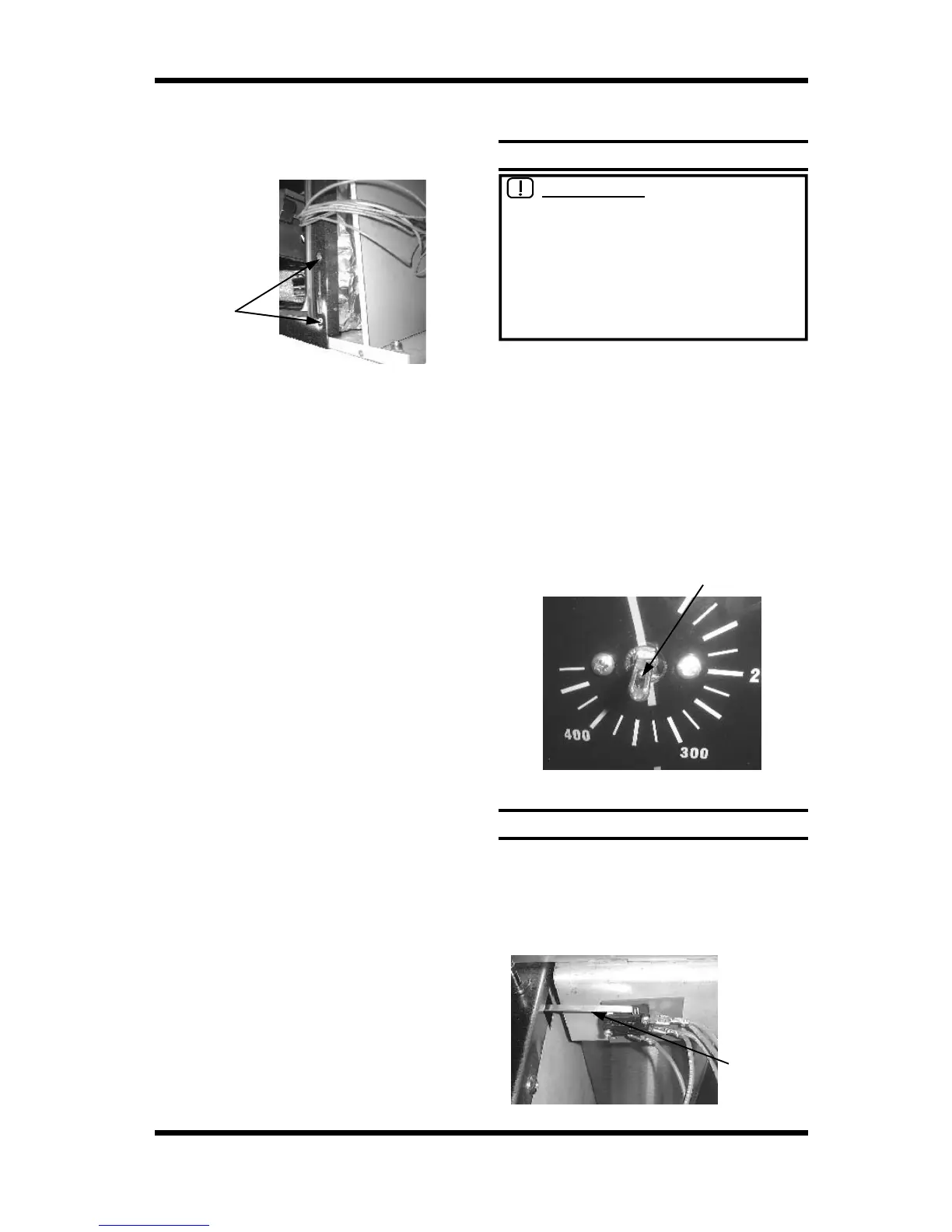
Two screws
Figure 6.3.28
10) Prise open the insulation panel to allow
access to the right hand counter bracket.
Undo two screws securing bracket, and
remove bracket.
11) Replace, ensuring roller to top of bracket.
Re-assemble in reverse order.


 To Next Page