Need help?
Do you have a question about the MOFI NETWORK MOFI4500-4GXELTE-SIM4 V2 and is the answer not in the manual?
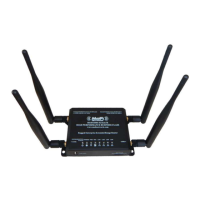
Description of the router's front panel components and their functions, including LEDs.
Description of the router's back panel components and ports.
Steps to plan network setup, including USB modem or DSL/Cable modem connections.
Procedures to remove conflicting software or settings for smooth router installation.
Step-by-step guide for physical installation of the router and connections.
Instructions to establish an internet connection using cellular or other modem types.
Step-by-step instructions on how to activate and configure Wi-Fi Protected Setup.
Steps to enable and configure the USB Print Server for network printing.
Detailed instructions for adding a printer using TCP/IP on various Windows versions.
Configuration for manual static IP internet connection setup.
Configuration for automatic DHCP internet connection setup.
Configuration for PPPoE internet connection setup with username/password.
Settings for Wi-Fi network name (ESSID), security type, and password.
Instructions on how to manually open specific ports through the router's firewall.
Detailed steps for putting the router in recovery mode, setting IP, and accessing the recovery interface.
Steps to enable and configure MOFI remote management for online access and monitoring.
Guide to setting up MOFI CLOUD LINK for a dedicated static public IP address and remote access.
How to enable bandwidth monitoring and set billing cycle reset dates.
Instructions to set data usage limits for individual devices and block access when limits are reached.
FCC compliance information and guidelines for operation and interference.
Information regarding compliance with European R&TTE directive.
 General
| Product Type | Wireless Router |
|---|---|
| Model | MOFI4500-4GXELTE-SIM4 V2 |
| Network Type | 4G LTE |
| Wi-Fi Standard | 802.11a/b/g/n/ac |
| USB Ports | 1 x USB 2.0 |
| Wi-Fi Frequency Bands | 2.4 GHz |
| Ethernet Ports | 4 |
| Antenna Connectors | SMA |
| Power Supply | 12V DC |

 To Next Page