www.mokosmart.com
2.7 Reboot Device
The “Reboot Device” button is used to send a reboot command to the device. After that, the
gateway will reboot once.
2.8 Reset Device
The “Reset Device” button is used to send a reset command to the device. After that, the device
will restore to factory setting, and the indicator will flash blue and green once.
You can also press and hold the reset button for 10 seconds to reset it.
2.9 Remove Device
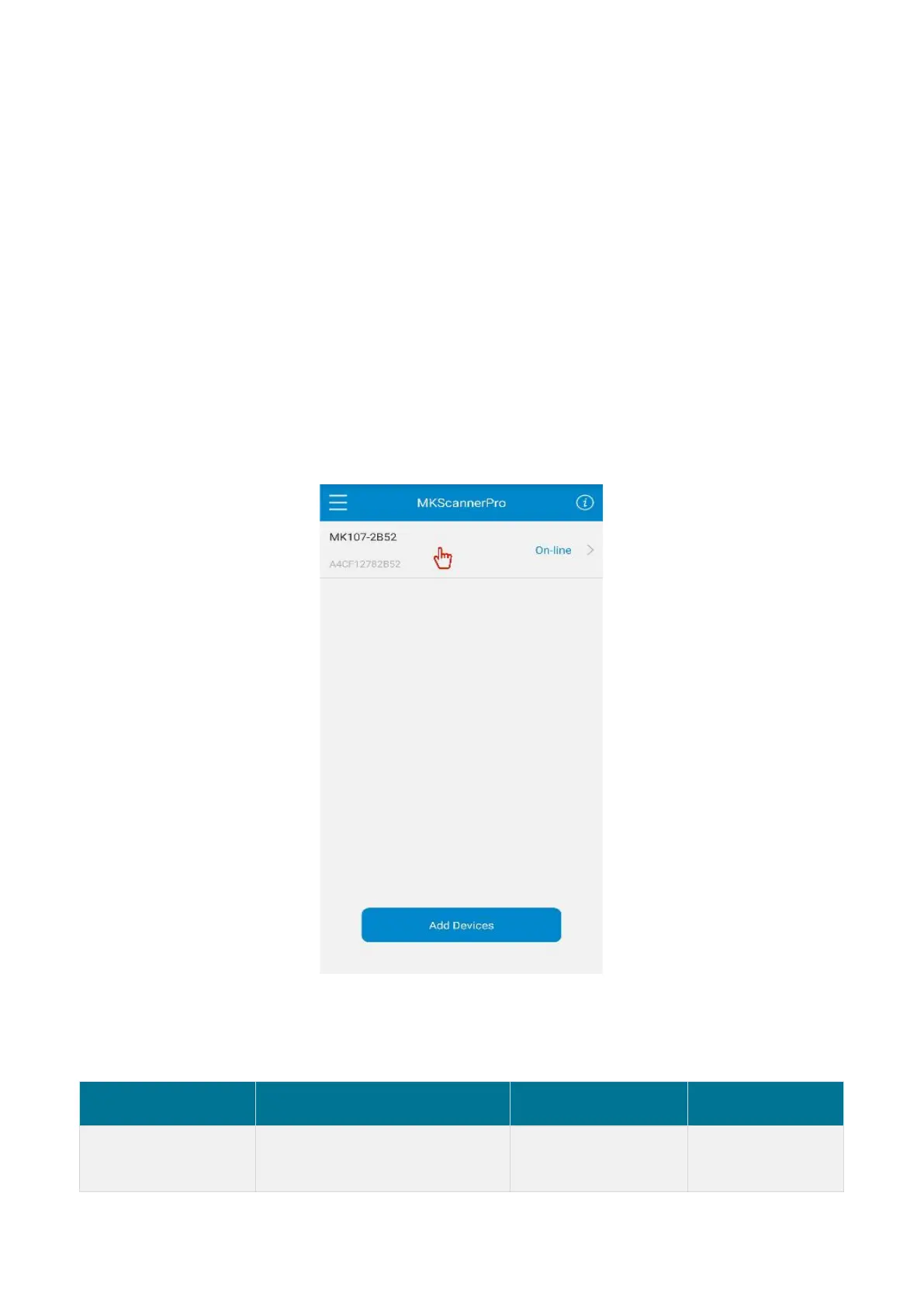
Select a gateway on the device list and touch the screen for three seconds to remove it . After
removed, the device will disappear in the device list.
3.Revision History
Initial Release,
based on firmware V1.0.1


 To Next Page