www.mokosmart.com
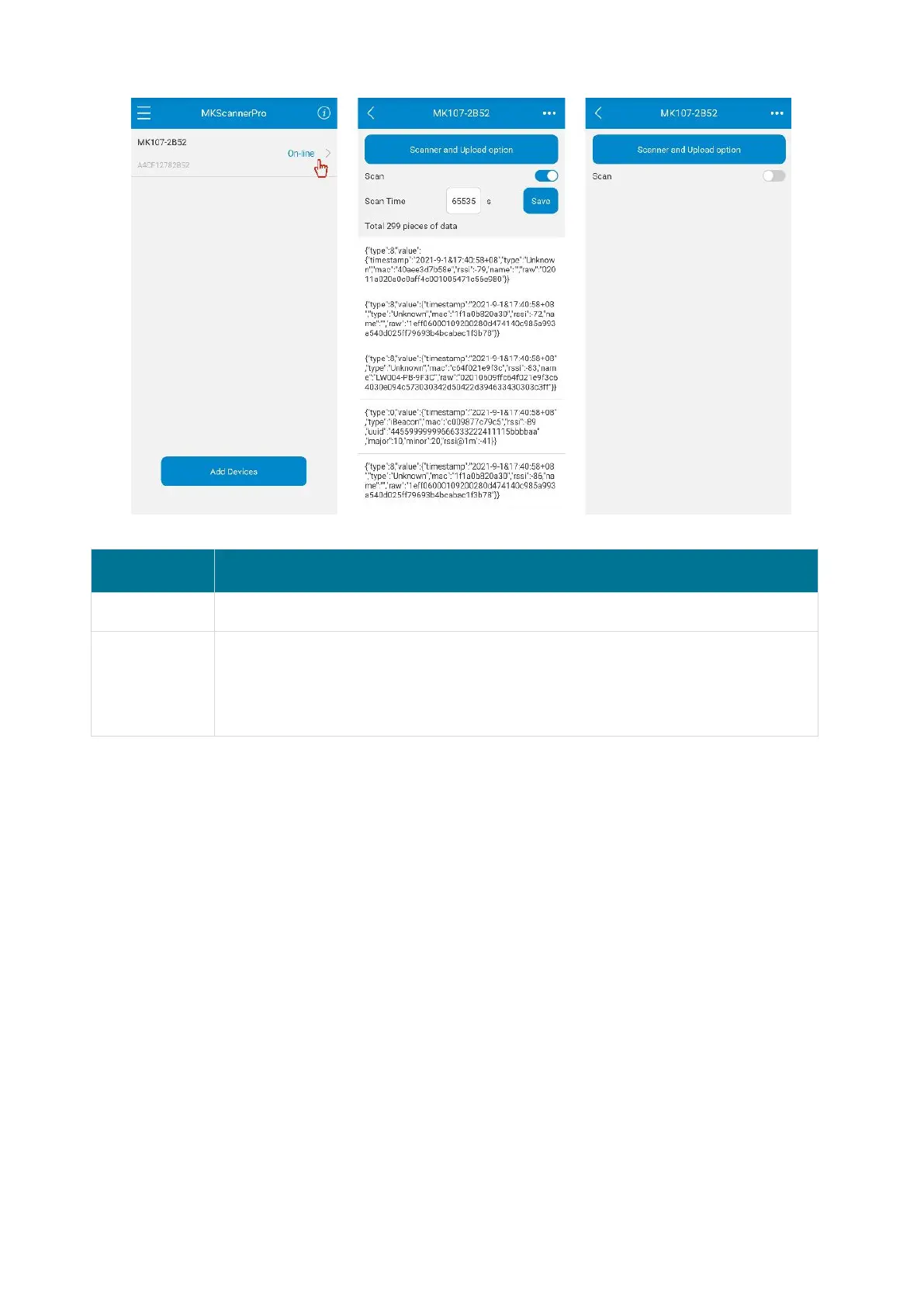
Default: enable, range: Enable/Disabled
Default: 65535, range: 10-65535 (unit: second)
65535 is a special value, which means the gateway will be always scanning.
Other value is a countdown time, when the time expires, the gateway will
automatically stop scanning.
2.4 Set the Filter Condition
Click the "Filter and Upload option" button to set filter conditions, which can help users easily
obtain target beacon data.


 To Next Page