MX123 Connection System User Manual - AS-34566-001 28
C. Harness Connector to Header/Controller Mating To Final Lock
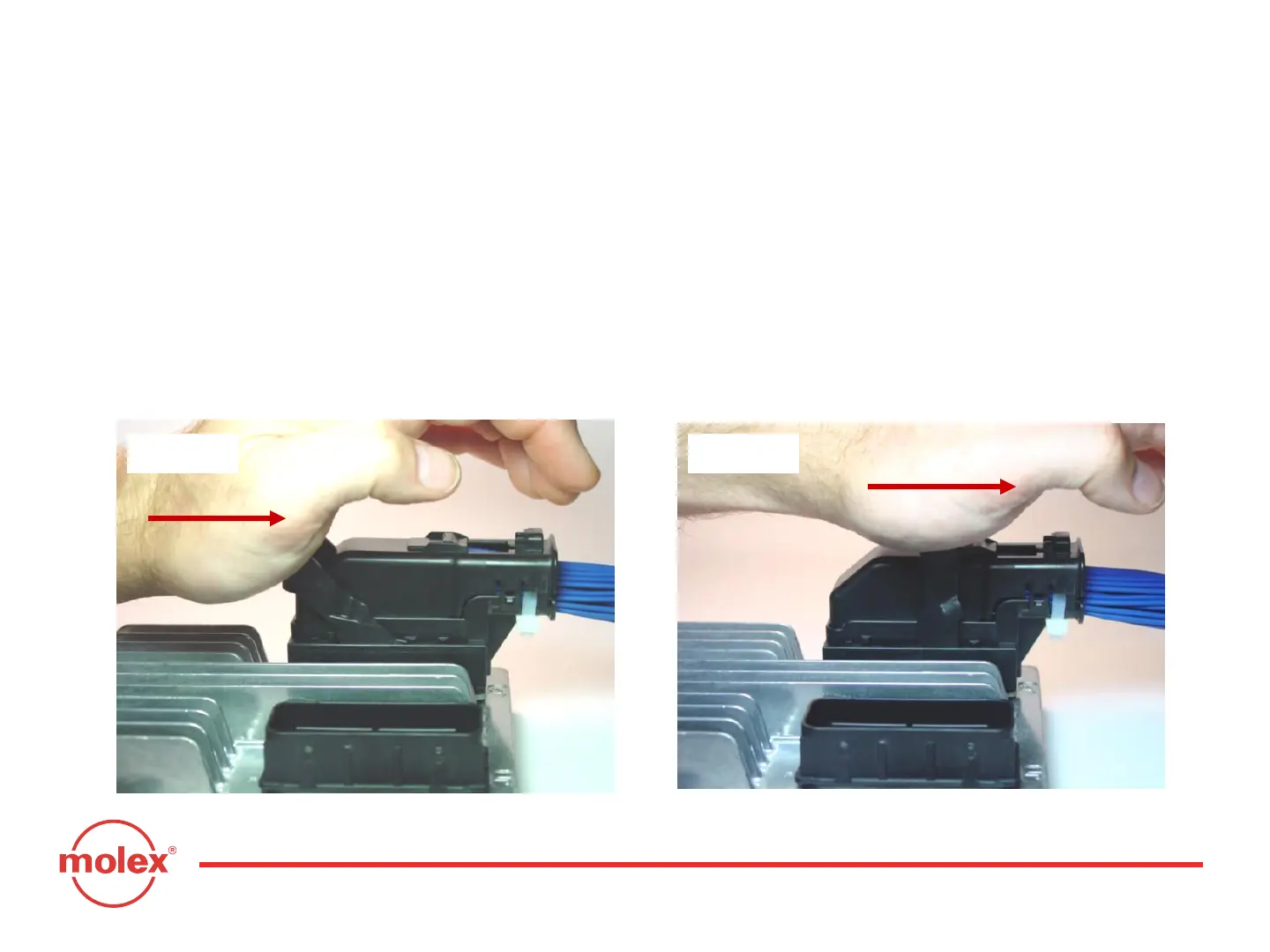
To begin mating the harness connector to the header/controller, place the
palm of your hand on the face of the lever. Push back the connector lever
towards the wire bundle to engage the harness connector to the controller
header (Fig. 4- 5). Mating force should be smooth and continuous. If not,
remove the connector and repeat step B.
Continue to rotate the lever arm (Fig. 4- 6).
Fig. 4-6Fig. 4-5
Section 4: Connector Mating Instructions



 To Next Page