MX123 Connection System User Manual - AS-34566-001 78
Section 12 (SDC-56way) Connector Mating
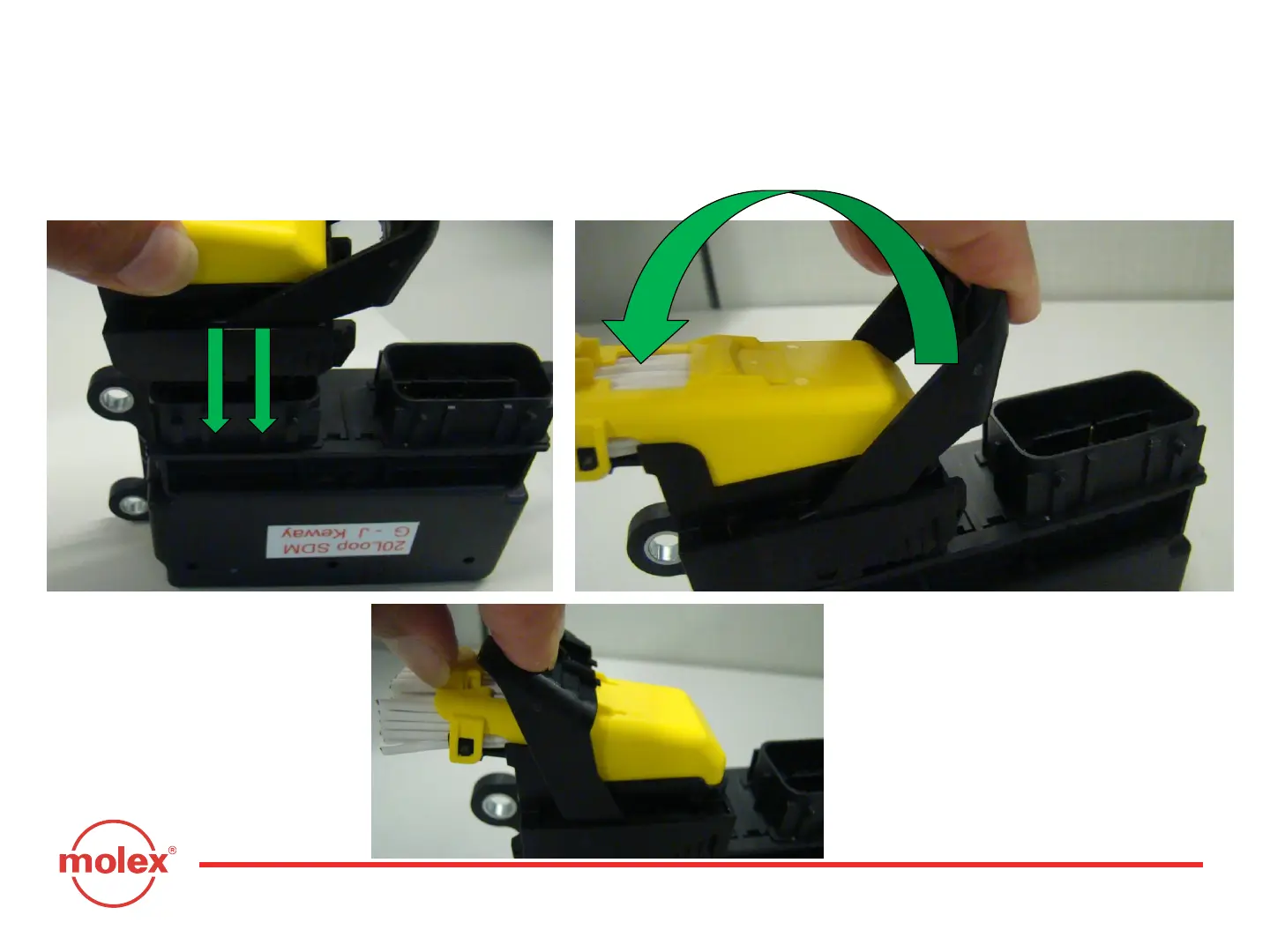
Step 2 – After placing the connector on the header in proper orientation making sure that all locating features are aligned,
keep pushing the connector until it is completely mated with the header (Fig: 4). When the connector is properly mated, the
lever is released and free to rotate (Fig: 5).
Step 3 – Rotate the lever of the fully mated connector (Fig: 5) to throw it on the other end of the wire dress cover (WDC) to
lock it (Fig: 6).
Fig: 4
Fig: 5
Fig: 6



 To Next Page