Page 9 of 24
Operation
Battery care and charging
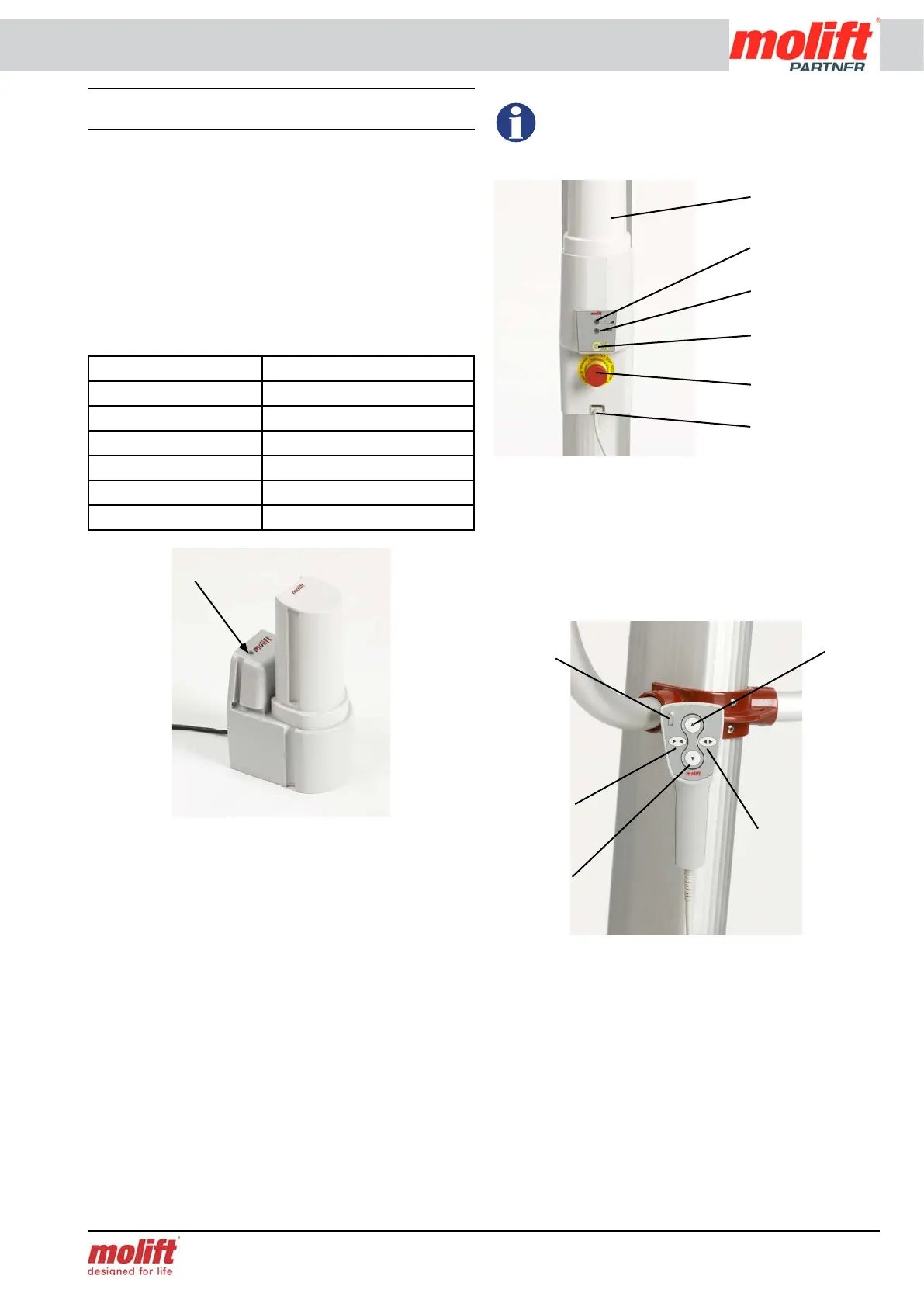
Molift Partner 230/255 is supplied with a battery
with a 26,4 V cell unit that is placed in the battery
holder on the lift. A charger is also supplied to charge
the battery whenever needed. The charger can be
mounted on a wall surface or placed on a table.
The charger has a LED (Light Emitting Diode) indi-
cating the status of the battery as described below:
LED Mode
Yellow No battery
Yellow Initiation (10 sec)
Orange Fast charge
Green/yellow Top-off charge
Green Trickle charge
Orange/green Error
Place the battery in the charger. After a few seconds
the LED will change from yellow to orange, indicat-
ing that the battery is charging. When the LED gives
a constant green light the battery is fully charged.
Battery capacity
A Battery LED is situated on the battery holder on
the lift. If the voltage of the battery falls below a cer-
tain level, the diode will change to orange, indicating
the need for charging. There is still enough capacity
to perform 3-5 lift cycles (75 kg) at this point.
If the battery is discharged during a lift, it is
always enough power to lower the user down
again.
Operating the hand control
The hand control to Molift Partner 230/255 has
four buttons, two buttons for up and down, and
two buttons for adjusting the adjustable legs.
In addition there is a green diode which illuminates
when the battery needs charging.
Emergency stop and lowering
Emergency stop
All of the Molift patient lifts are equipped with
emergency stop and lowering. The emergency stop
button is situated on the battery holder. Push the red
button to cut the power to the motor. Turn the but-
ton clockwise until it pops up to reset the emergen-
cy stop.
Collecting
legs
Lift down
Lift up
Spreading legs
Battery
LED
Battery
Servicelamp
Electrical emer-
gency lowering
Emergency stop
Contact for
hand control
Charger LED
Battery LED


 To Next Page