TOUCH NAVIGATION ... touch the ESC Button to open the Main Menu on screen
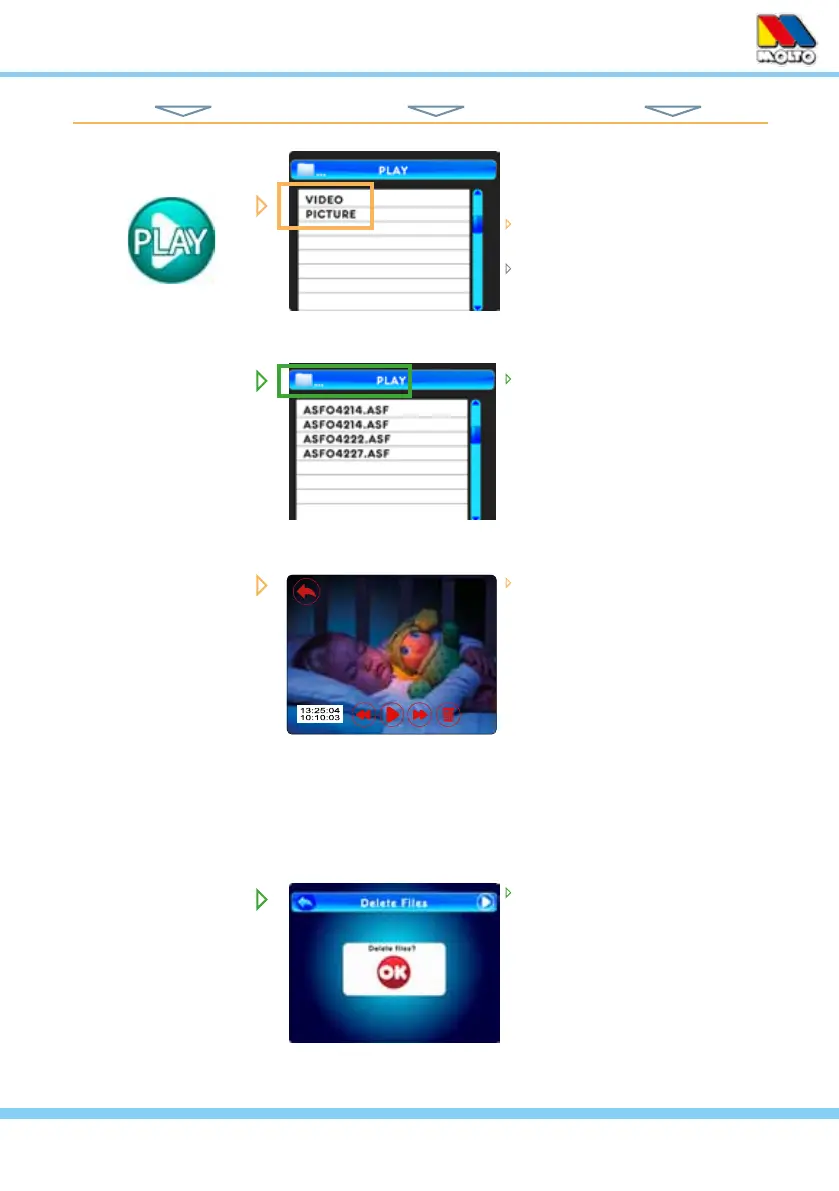
PLAY
HINT: To move back one screen touch Return icon or go to camera view by pressing the ESC Button.
touch to select one of two options...
Video or Picture
select Video or Picture
select a folder for the Date of the
Recording (year/month/day)
select a Video or Picture File to
Play or View
when the Delete icon is touched
you see this to conrm le dele-
tion with an OK
as you view a Recorded Video
le the screen will also show...
Return icon (upper left) - used
to exit the playback at any
time
Elapsed Time / Total Play
Time / and File name(upper
right)
Video Play controls (bottom
center)
Delete icon (bottom right)
from Main Menu... ... to These Screens... ... to Do This...
00:00:01/00:00:03
ASF04214.ASF
11



 To Next Page