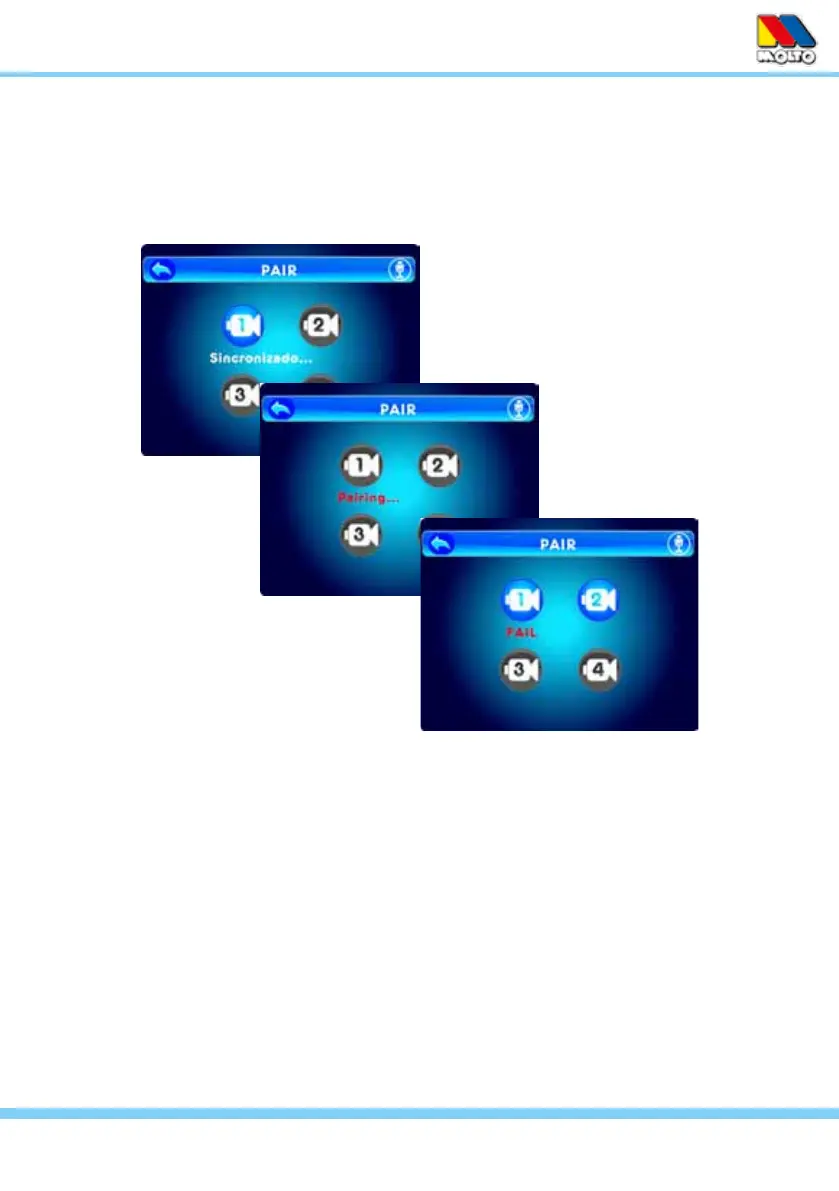
1. Power On the Monitor and Camera
2. Press and hold the Pair Button on the back of the Monitor until the Pair Screen is displa-
yed, then release the button.
3. Press and release the Pair Button on the Monitor and select a camera number (1-4) to be
paired. The word “Pairing” appears below the icon of the selected camera as it waits to be
paired.
4. You have 10 seconds to press and hold the Pair Button on the back of the Camera to com-
plete Pairing, otherwise restart from step 2 above.
5. The word “OK” or “Failed” will be displayed on screen.
6. Press the ESC Button or the Return icon to go back. To pair additional cameras repeat the
steps above.
PAIRING: The monitor and camera are paired (wirelessly linked) by the manufacturer at the fac-
tory. If you ever need to relink the camera, or you want to pair Additional Cameras (sold separa-
tely) you need to pair each following this sequence:
NOTE: Before pairing be sure the camera and monitor are both turned on and
both are within 10 feet of each other.
7



 To Next Page