TOUCH NAVIGATION ... touch the ESC Button to open the Main Menu on screen
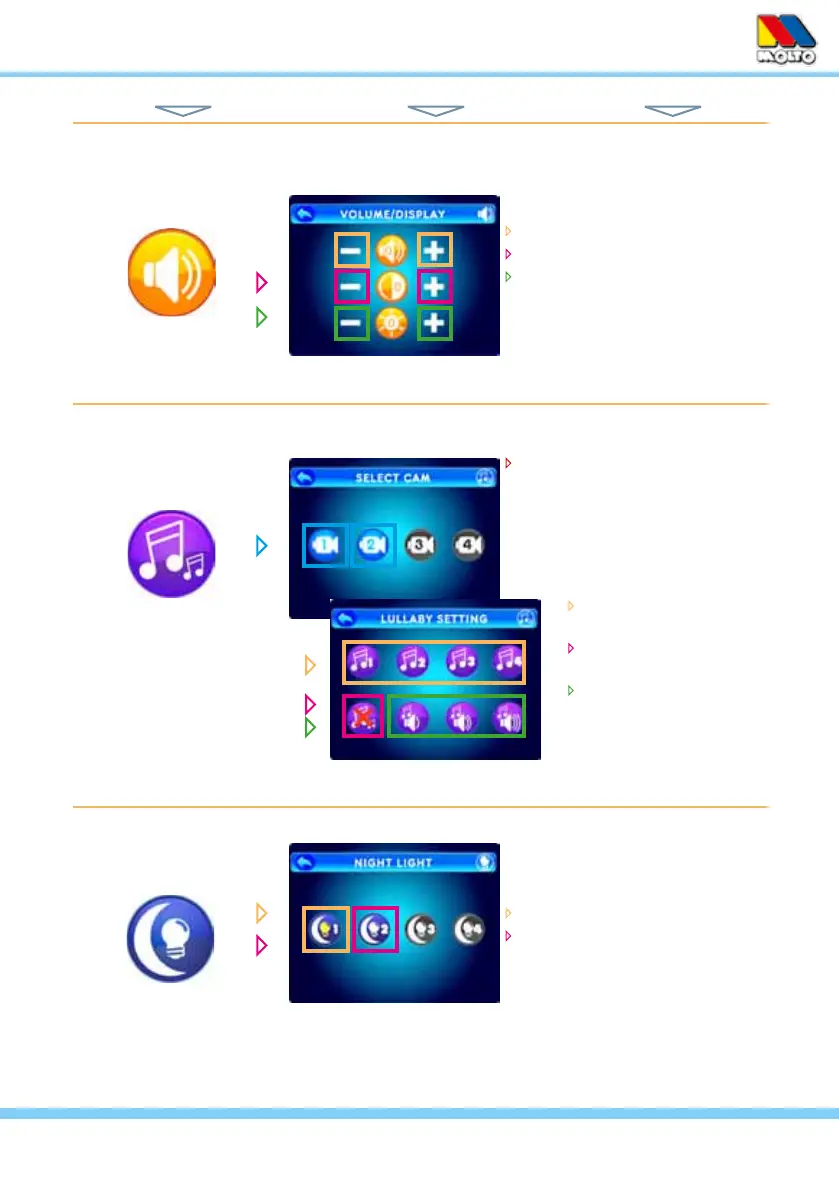
touch – or + icons to adjust...
Monitor Volume
Screen Contrast
Screen Brightness
select one of four Lullabys
and/or...
deactivate all Lullabys...
adjust Lullaby Volume
select a Camera...
VOLUME / DISPLAY
LULLABYS
NIGHT LIGHT
select Night Light icon for the
camera you wish to control in
order to...
turn the Night Light ON
turn the Night Light OFF
(the light bulb image in the icon
changes to yellow when ON and
back again when OFF)
HINT: To move back one screen touch Return icon or go to camera view by pressing the ESC Button.
from Main Menu... ... to These Screens... ... to Do This...
9



 To Next Page