EasyManua.ls Logo

Molto 12732 - Main Menu

Default Icon
24 pages
Print Icon
To Next Page IconTo Next Page
To Previous Page IconTo Previous Page
Loading...
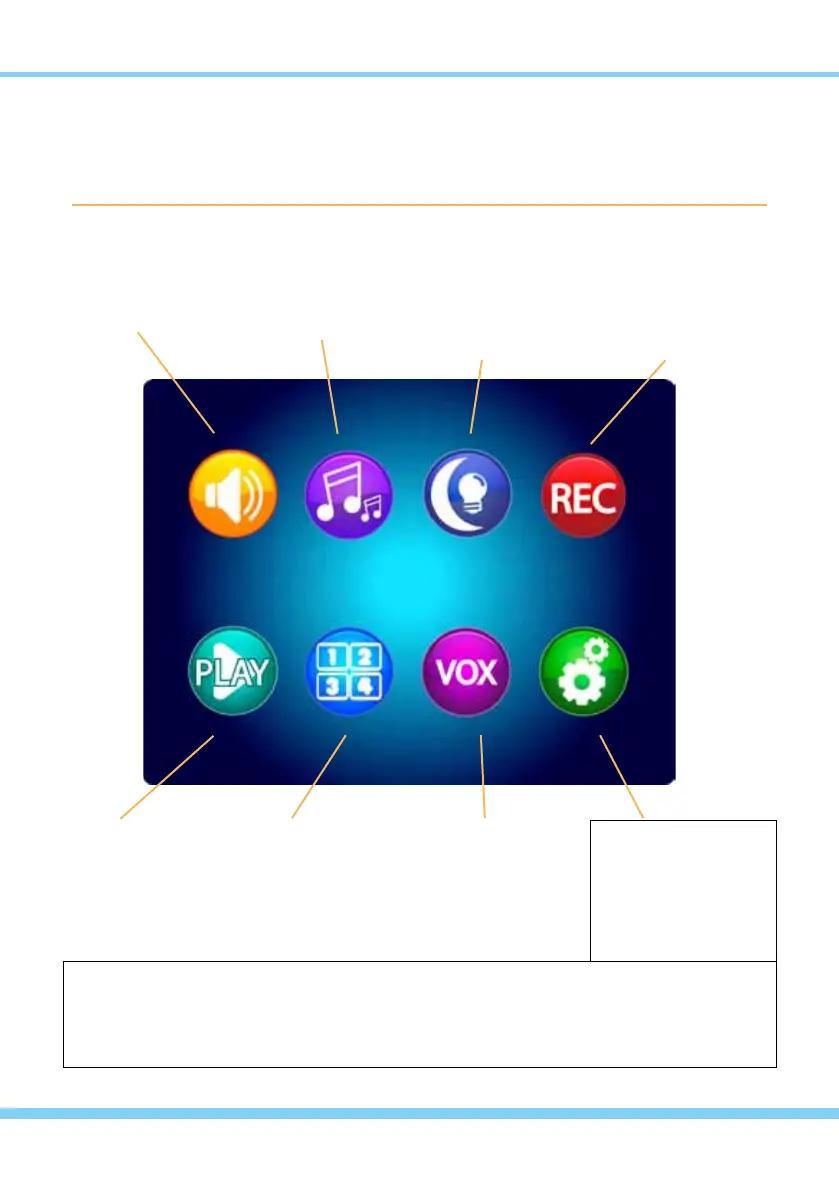
MAIN MENU ... touch the ESC Button to open the Main Menu on screen
Touch the appropriate icon to access all Settings and Options.
IMPORTANT: Use ONLY a ngertip or other NON-SHARP object to select touch screen
options. Using sharp objects can damage the screen and void the warranty.
VOLUME / DISPLAY
adjust
Sound Volume
Screen Contrast
Screen Brightness
PLAY
adjust/play
Recorded Video
Recorded Photo
Delete Files
SETTINGS
for the Monitor
USB Output
Recording Schedule
Zoom/Pan/Tilt
Screen Timeout
Touch Calibration
SD Card Update
6 Languages
Reset to Default
About / Version
Date/Time
Time Alarm
Auto Switch Time
AV Out Format
SETTINGS
for the Camera
Temperature Alarm
TX Power/Volume
QUAD / CHANNEL
select
Quad View
Specic CAMs
Switch CAMs
VOX
(Voice Activation)
select
Camera Number
VOX On/Off
Sound Sensitivity
Auto Record On/Off
LULLABYS
select
Camera Number
Lullaby Choice
Lullaby Volume
NIGHT LIGHT
select
Camera Number
Night Light On
Night Light Off
RECORD
select
Record Video
Take Photo
Format SD Card
SD Information
Time/Date Stamp
8