10. UPDATING FIRMWARE
In most cases the Firmware will automatically update by itself and you will not need to do
anything. But it’s also possible to see a pop-up appear in the App saying “New Firmware is
Available” to install you can go to App - Settings Tab - Connect button (phone/tracker in
Bluetooth range) and there should appear an “Update Firmware” button.
11. TECHNICAL SPECIFICATIONS
DEVICE
DIMENSIONS
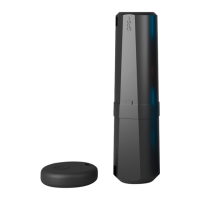
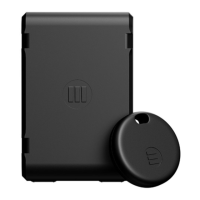
Height 15 mm / 0.59 inches,
Max Width 38 mm / 1.50 inches,
Max Length 93 mm / 3.66 inches
DEVICE WEIGHT
60g. / 2.12oz.
BATTERIES
Monimoto: 3.7V Li-Polymer 900 mAh rechargeable.
Key Fob: 3V Lithium CR2032 (1 battery)
RANGE OF
OPERATING
TEMPERATURES
-15°C to 60°C (5°F to 140°F)
Battery will only charge above 5°C / °41F
ambient temperature.
5°C to 15°C (41°F to 59°F) slow charging available
15°C to 60°C (59°F to 140°F) fast charging speed
BATTERY CHARGE
TIME
Above 15°C (fast charging) takes 1.5 hours to fully charge.
15°C (slow charging) takes up to 6 hours to fully charge.
BATTERY
OPERATION TIME
Monimoto: up to 12 months
Key Fob: up to 12 months
DUST AND
WATER RESIS
TANCE RATING
Monimoto: IP68
Key Fob: IP65
APPLICATION IOS/
ANDROID OS
REQUIREMENTS
Minimum iOS 14 or Android 8, Androids must
have Google Play store
ESIM NONRE
MOVABLE
Yes
ESIM COVERAGE
EU, UK, USA with JP/AUS/NZ to be added pending certifica-
tion.
20


 To Next Page