1. BEFORE YOU START
Your smartphone must also have Bluetooth 4.0+ (BLE) functionality, as the connection
between your phone and Monimoto uses this technology.
The device can be used with iOS 14 or Android 8.0 phones and all
subsequent operating systems. Android phones must have access to
the Google play store.
HOW DOES THE KEY FOB WORK?
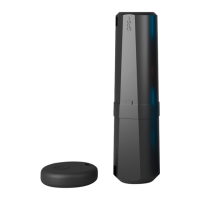
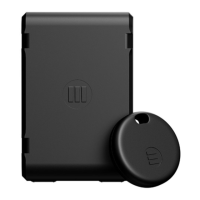
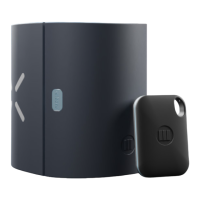
Monimoto comes with a Key Fob which works on a proximity basis to prevent the tracker
from alarming when you move your own vehicle. We recommend keeping it on your person
(jacket, pants pocket, backpack or bag) and not anywhere inside or on the vehicle. Why? If
you keep it with your vehicle/vehicle keys and they get stolen - the alarm will not start since
Monimoto will see the Key Fob nearby.
THINGS TO KEEP IN MIND:
• Your Key Fob can connect to Monimoto up to a maximum range of 25m/~82ft in an
open area without interference, range will typically be less due to walls/objects causing
interference.
• Each Monimoto can be paired with up to 3 Key Fobs.
• Each Key Fob can be paired with an unlimited number of Monimoto trackers.
• If you park your vehicle in a place where the Key Fob signal is still reachable and will prevent
the alarm from starting, you can reduce the Key Fob signal range in settings.
• Monimoto searches for satellites to deliver precise GPS locations but GPS signals are poor
inside places such as: basements, garages, lifts, underground car parks, concrete buildings,
and tunnels. In such cases Monimoto sends approximate locations using Cell ID technology
(cellular tower triangulation), or uses WLS wireless location services.
• Each time Monimoto enters Alarm mode and sends locations, the battery drains faster so
avoid false alarms to save battery life.
4


 To Next Page