5
CUSTOMER SERVICE / PACKAGE CONTENTS / SOFTWARE INSTALLATION AND SETUP
Customer Service
The Monoprice Customer Service department is dedicated to
ensuring that your ordering, purchasing, and delivery experience
is second to none. If you have any problem with your order,
please give us an opportunity to make it right. You can contact a
Monoprice Customer Service representative through the Live Chat
link on our website www.monoprice.com during normal business
hours (Mon-Fri: 5am-7pm PT, Sat-Sun: 9am-6pm PT) or via email
at support@monoprice.com
Software Installation and Setup
We recommend using KISSlicer for use with the Delta Pro. Please
visit the Delta Pro page of monoprice.com to download KISSlicer
and for instructions on installation. The installation package
comes with everything you need to get started.
Package Contents
Please take an inventory of the package contents to ensure you
have all the items listed below. If anything is missing or damaged,
please contact Monoprice Customer Service for a replacement.
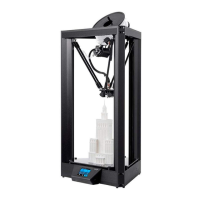
• 1× Monoprice Delta Pro 3D Printer
• 1× MP Select PLA Plus Filament Roll (Black, 1 kg)
• 1× Spare PTFE-lined Nozzle
• 1× Spare All-metal Nozzle
• 1× Auto-level Sensor
• 1× Tool Kit (hex wrenches: 1.5 and 2 mm)
• 1× Touchscreen Stylus
• 4× Bowden Clips


 To Next Page