10
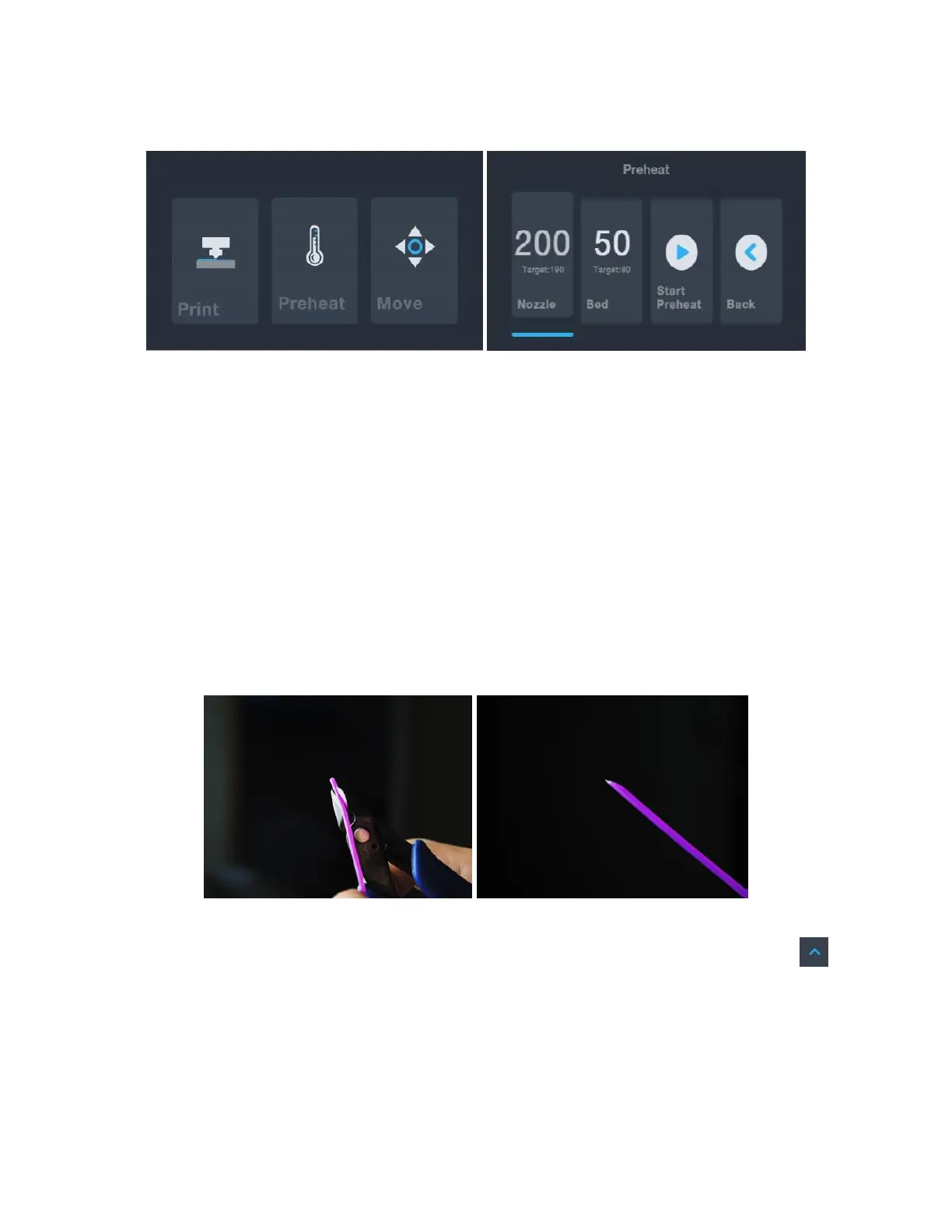
4. Touch the Preheat button on the Main Menu.
5. Touch the Nozzle button, then set the temperature of the nozzle to your target
value, which depends on the type of filament you are using.
6. Touch the Bed button, then the temperature to the target temperature for your
filament type.
7. Touch Start Preheat. The printer will start preheating the nozzle and heated print
bed to the target values. The option on the screen will change to read Stop Preheat
and the Extruder and Platform buttons will read the actual temperatures.
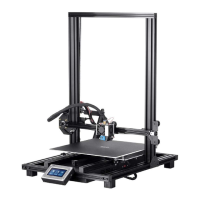
8. While the printer is heating, open your filament. Using a pair of scissors or side
cutters, diagonally snip the end of the filament to make a point, as shown in the
images below. Place the filament reel on the filament rack.
9. Touch the Back button on the Preheat Menu to return to the Main Menu, then
touch the Move button on the Main Menu to enter the Move Menu. Touch the
button on the Z column to raise the extruder above the build platform.


 To Next Page