FX LOOP
The FX LOOP of GE300 can be used to integrate your favourite external effects and preamps into the GE300 signal chain, or to integrate GE300 into
creative and complex rig setups. We’ve included a few examples here but there are many possibilities.
Parameter
Explanation
Value
Send Level
Adjusts the tone for the low frequency range.
-60dB - +6dB
Return Level
Dry / Wet
Loop Mode
Output Mode
Adjust the recovery level at the effects loop return inputs.
Progressively adjust the wet/dry mix when in parallel mode.
100% Wet will send 100% of the signal through the FX LOOP
just like Serial mode. 100% Dry will bypass the FX LOOP completely
-60dB - +6dB
0 - 100
Choose between serial effects loop and parallel effects loop.
Select between mono, stereo and automatic. When automatic is selected,
the effects loop will become stereo when a device is connected to the R
send or return jacks.
Serial, Parallel
Mono, Stereo, Auto
Routing
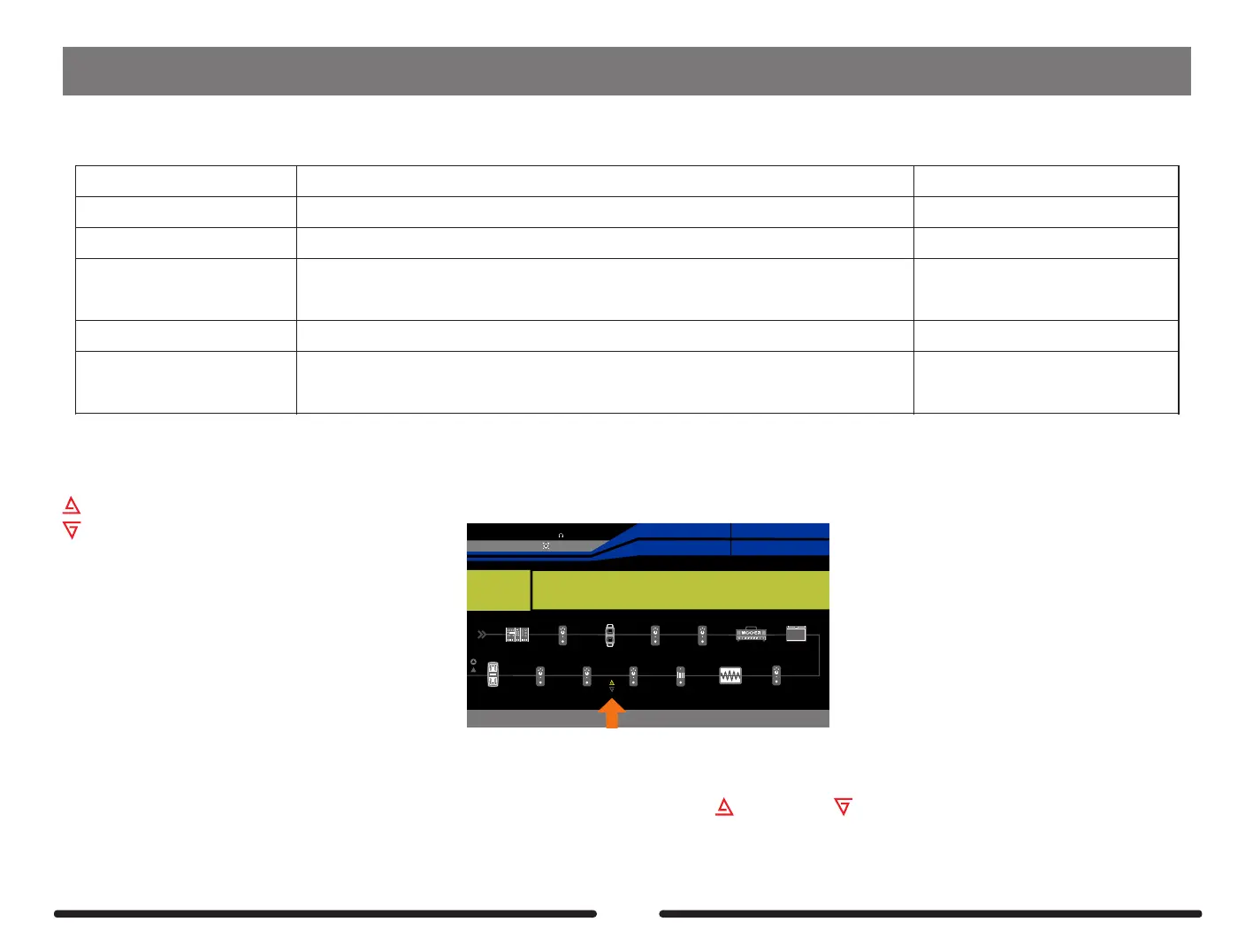
The SEND outputs and RETURN inputs can be re-routed within the signal chain just like effect blocks. This will be saved per preset.
In the signal chain display screen the send and return are represented by the same icons displayed on the top panel of Ge300.
Empty64D
SYNTH
EQ
DELAY
REVERB
FX B
EXP2:SYNTH
EXP1:SYNTH
Pitch 1
Pitch 1
17%
BPM 120.0
OUTPUT
XLROUT
INPUT
NS
VOL
COMP
FX A
FX A
WAH
WAH
DS/OD
TONE CAP
AMP
CAB
Send Level Return Level Dry Output Mode
0dB 0dB 0 Mono
Wet
100
Loop Mode
Series
= SEND
= RETURN
To re-route the send and return….
1.Press the DISPLAY button until the signal chain screen is displayed
2.Press and hold the SELECT control knob until one of the I/O icons is highlighted yellow
3.Rotate the SELECT control knob to select send icon or return icon
4.Press the SELECT control knob to pick it up (the icon will turn red)
5.Rotate the SELECT control knob to re-route to the desired position within the signal chain
6.Press the SELECT control knob to confirm the new position (the icon will turn back to yellow)
Notes: The return icon must located before the send icon.
53



 To Next Page