MERGE
GE300 has a very exciting function named MERGE. MERGE allows you to simultaneously control any parameters, from any effects block, between any end points,
in any direction, using an expression pedal.
Press the EXP button, select an EXP pedal, select MERGE
Select an effect block you wish to assign merge to.
In this example we will use DS/OD.
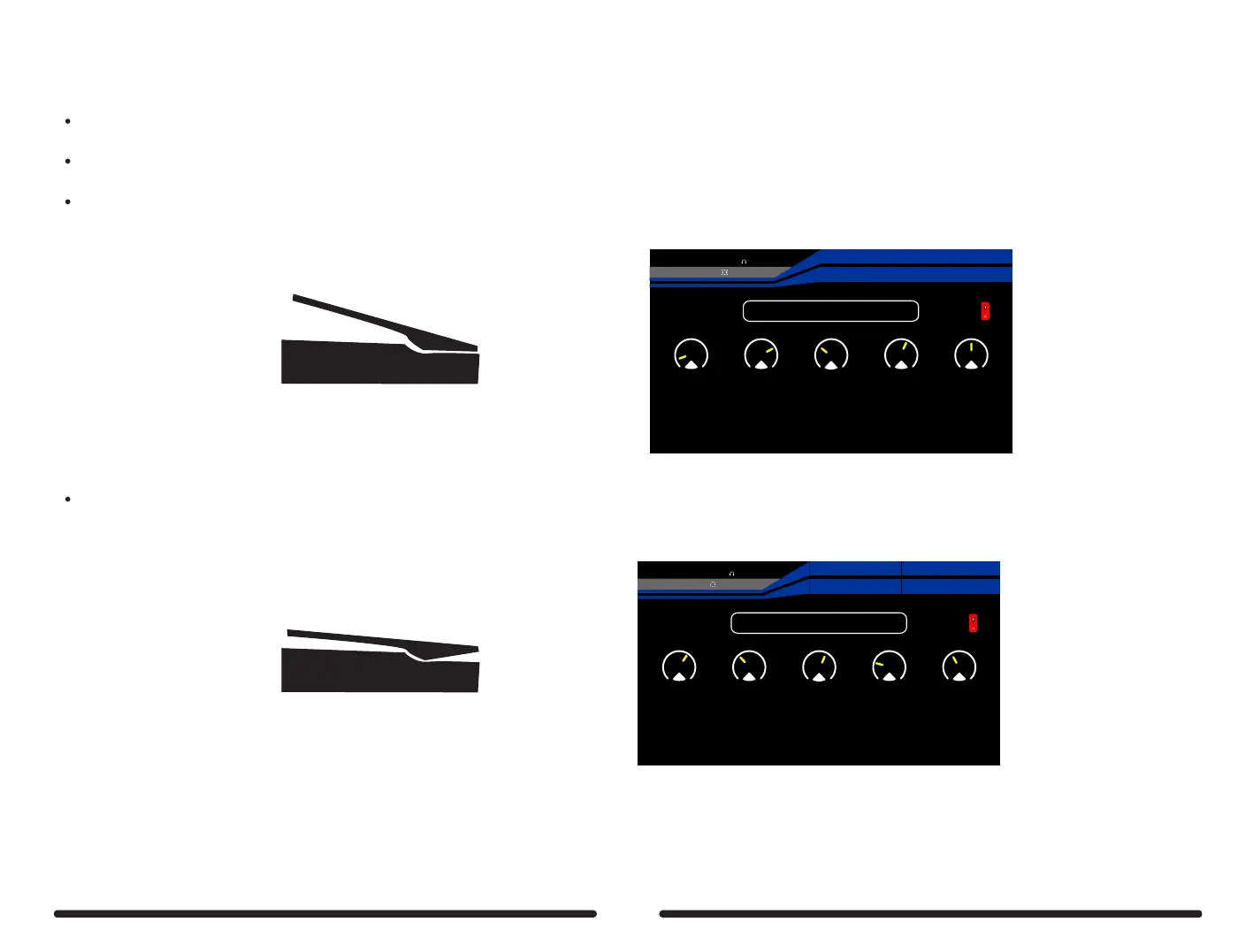
Set the EXP pedal in the heel down position and make the hell down parameter settings
For example: GAIN = 15 BASS = 75 MID = 23 TREBLE = 60 OUTPUT = 50
15
BassGain
28:Blues Mood
EXP2: FX B
EXP1:MERGE
---
Depth
30%
BPM 120
OUTPUT
XLROUT
INPUT
2
4
75 23 60 50
Mid Treble Output
1
5
3
Set the EXP pedal in the toe down position and make the toe down parameter settings
For example: GAIN = 60 BASS = 35 MID = 60 TREBLE = 25 OUTPUT = 35
60
BassGain
28:Blues Mood
EXP2: SYNTH
EXP1:MERGE
---
Pitch1
27%
BPM 120
OUTPUT
XLROUT
INPUT
2
4
35 60 25 35
Mid Treble Output
1
5
3
You should notice that a coloured bar has appeared around the parameter settings. This indicates the end points set and the direction of travel.
Try sweeping the expression pedal through it’s full range and see how all of the parameters move simultaneously between the end points set and in
different directions. You can apply MERGE to as many parameters as you wish in any of the effects blocks. Have fun!!!
88
If using EXP 1 make sure the toe down switch has been activated and the EXP 1 LED is illuminated.



 To Next Page