10
Instructions
1.Start
*Pluginthepowersupplyandsetupvourinstruments,effects,andamplifierproperly.
*RotatethesONGknobtoselectanaudiofile,PressSAVEtoselectaslotinwhichtorecord.*tisrecommendedto
setthePLAYandRECparamsbothto12o'clock,tobalancethevolumeofrea-timeplaving,playback,andrecording.
YoucanadiustthevolumeleveloftherecordingorplaybackbyrotatingPLAYOrREC.
*RotateFADEandTHRESHOLDtothefarlefttoturnoffFADEOUTandAUTORECfunction.NowyourLoopX2isset
upsuccessfully.Afterbecomingfamiliarwithit,youcanbegintosetupmorecomplicatedfunctionslater.
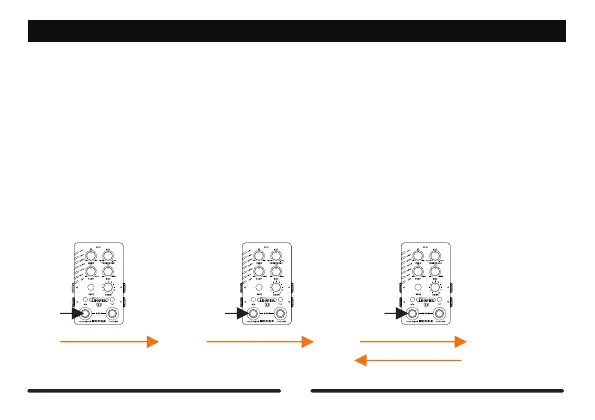
EMPT
Press
REC PLAY
DUB
Press Press
2.BasicLooperOperation
REC-PLAY-DUB:



 To Next Page